Study in Pictures🌐 English (United States)
IT Support Technician Illustrated

Digital book in PDF · read it on your phone or print it

IT Support Technician Illustrated

For 220-1201 and 220-1202. PC parts, ports, RAID, networking, the laser printer steps, Windows, security and troubleshooting: every topic on its own page, the drawing first, then what you need to remember. PDF by email, printable.

  • 70 illustrated pages
  • English
  • 30-day guarantee
US$ 27US$ 63
Get the book · US$ 27

Price shown for: United States. In other countries, the checkout shows the price that applies there.

About this book

What it is

For 220-1201 and 220-1202. PC parts, ports, RAID, networking, the laser printer steps, Windows, security and troubleshooting: every topic on its own page, the drawing first, then what you need to remember. PDF by email, printable.

Who This Book Is For
  • You're studying for the A+
  • Your exam date is close
  • You already work help desk
What it covers
  1. Start Here
  2. Inside the PC
  3. Networking
  4. Mobile, Printers and Cloud
  5. Hardware and Network Troubleshooting
  6. Windows and Other Operating Systems
  7. Security
  8. Operational Procedures
  9. Final Review
Language
English (United States)
Pages
70
Format
Digital book in PDF · read it on your phone or print it
Price
US$ 27 (United States)
Delivery
This is a digital PDF book sent to your email: nothing is printed or shipped.
30-Day Guarantee
30-day guarantee: if a file doesn't open, if the content isn't what the product page describes, if you were charged twice or the email never arrived, write to us and we'll refund you in full.

Look Inside the Book

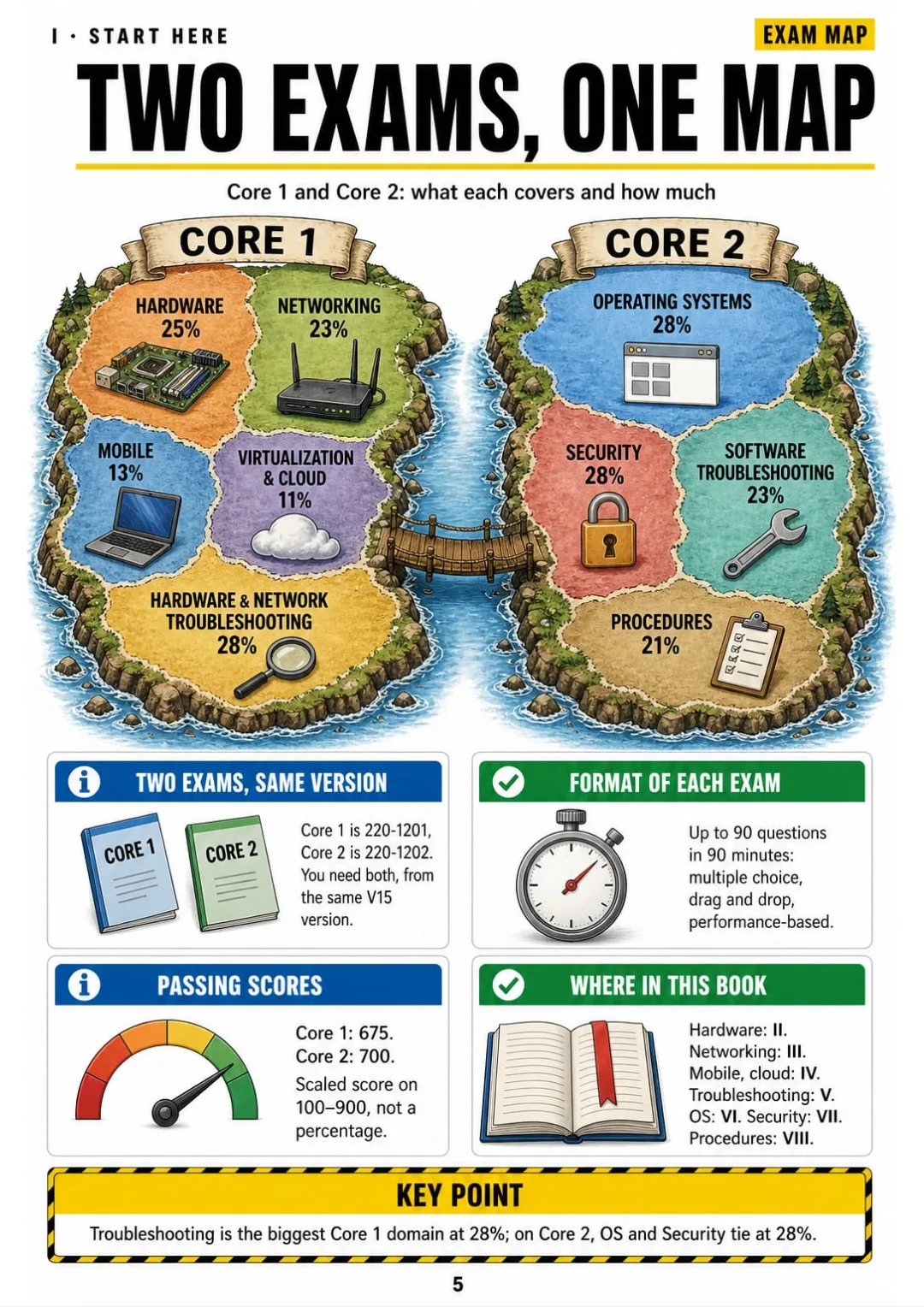
Core 1 (220-1201) and Core 2 (220-1202): nine domains, their weights, and the passing scores 675 and 700.
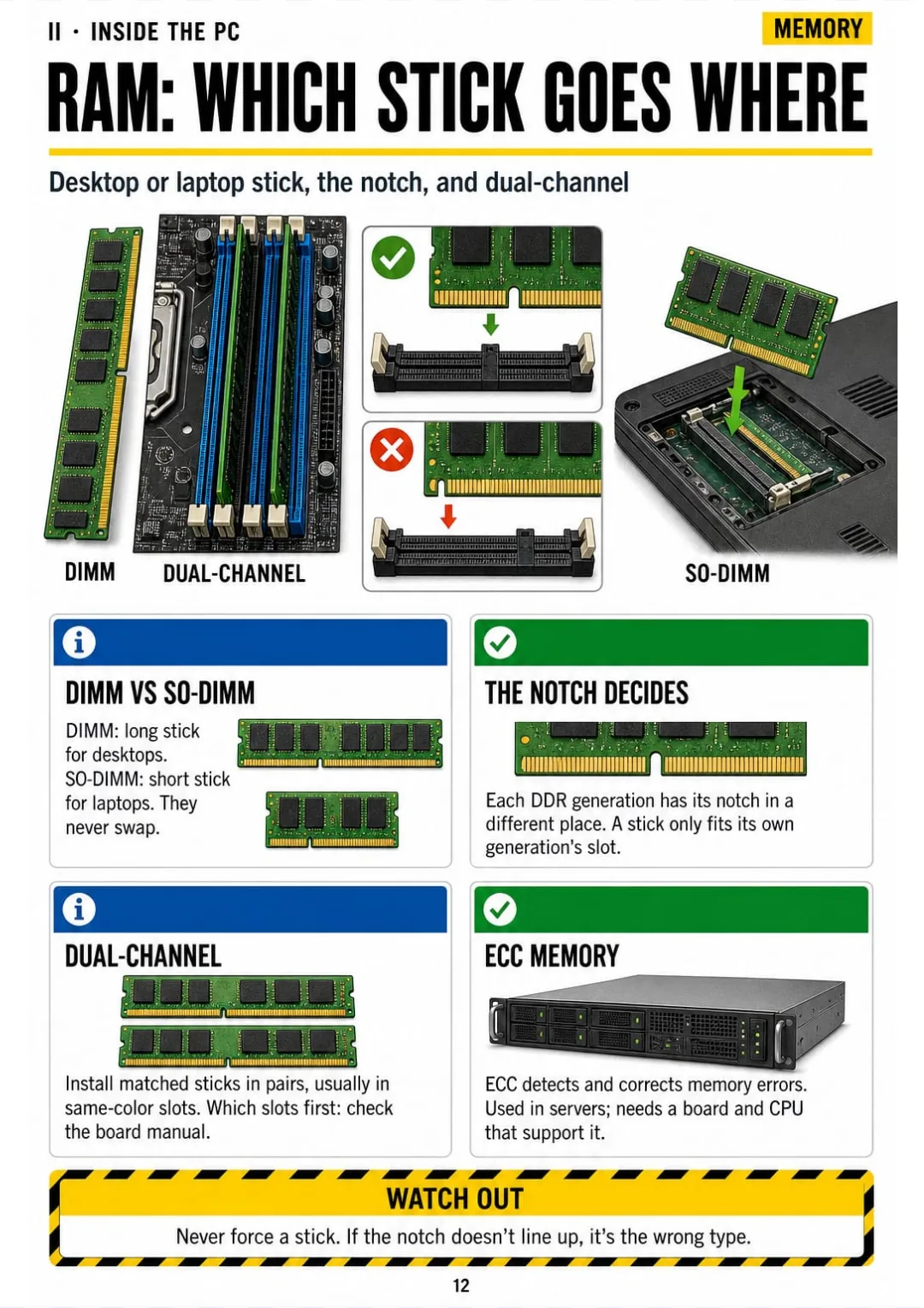
DIMM vs SO-DIMM, the notch, dual-channel pairs and ECC
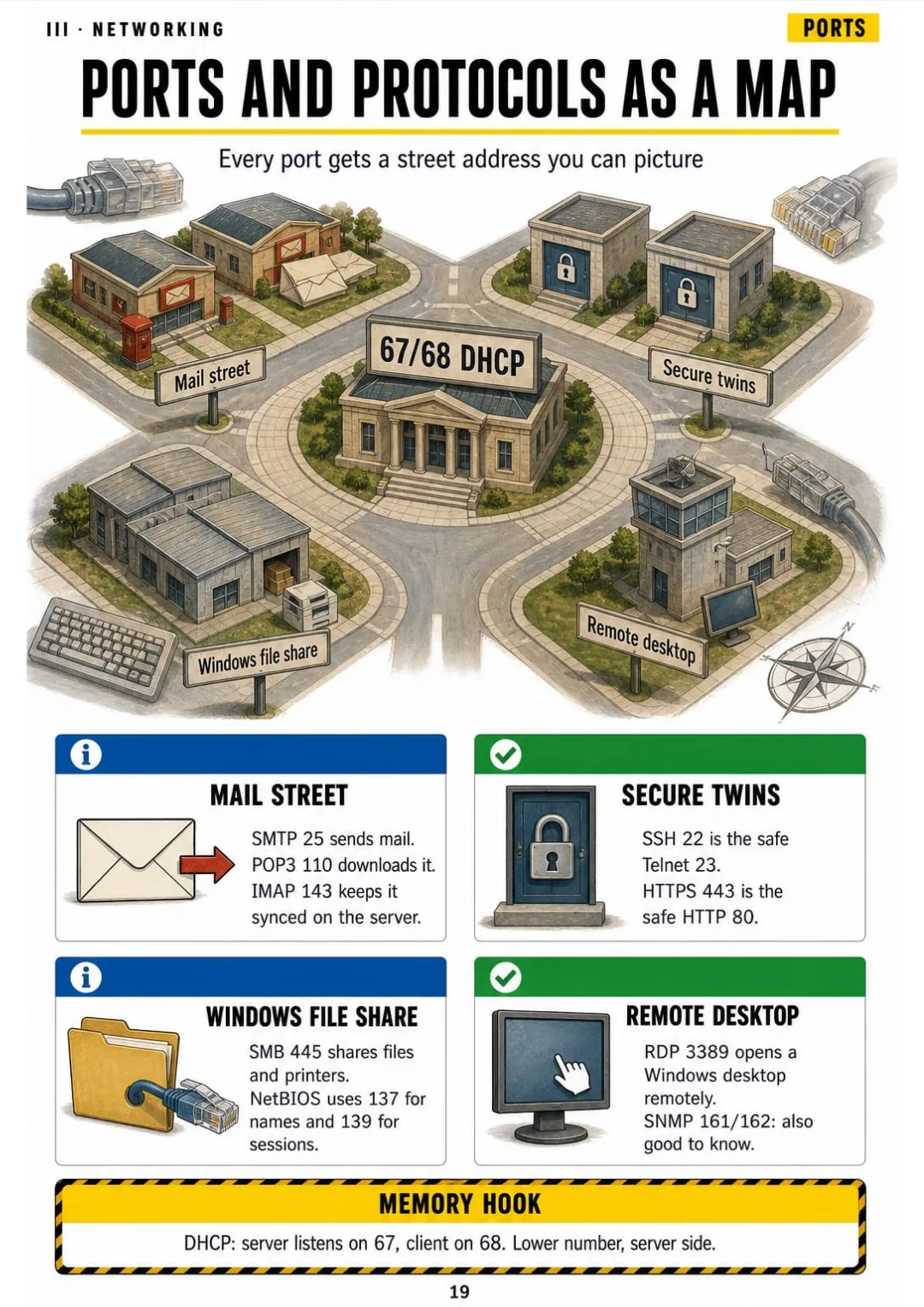
From SSH 22 to RDP 3389: the key ports on one drawn map
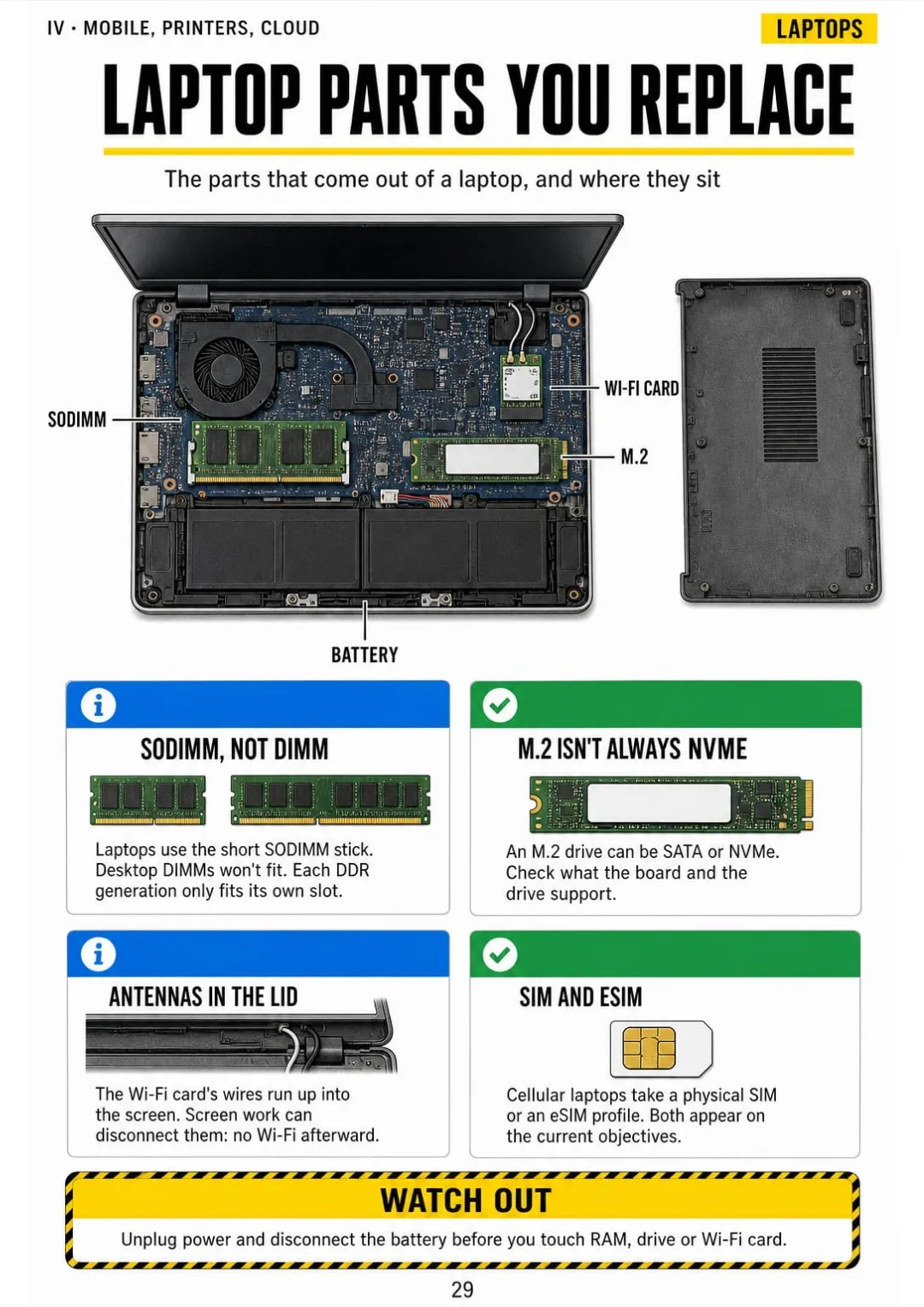
Battery, SODIMM, M.2, Wi-Fi card and antenna wires: labeled on one opened laptop
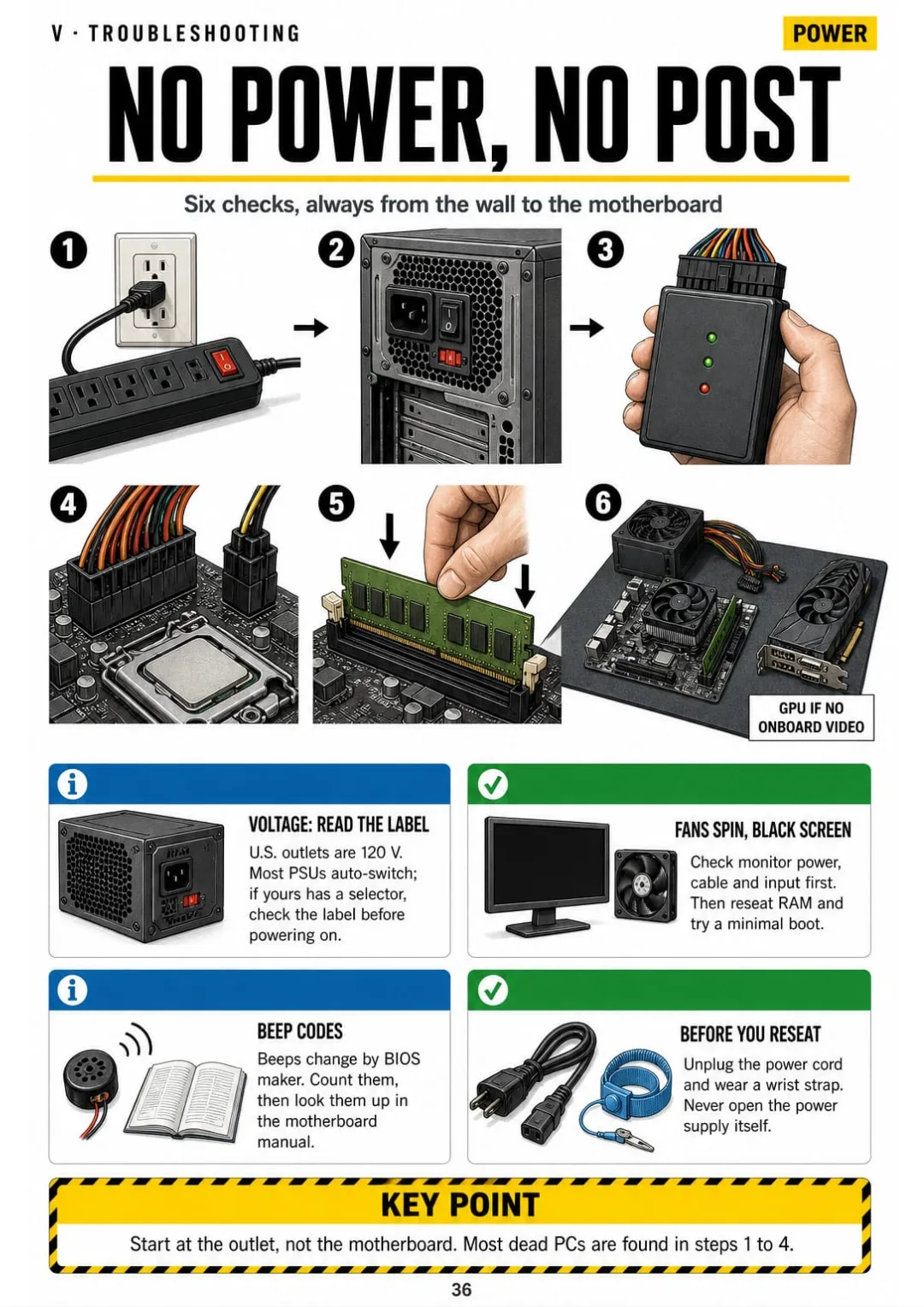
Outlet → PSU switch → PSU test → 24-pin and CPU power → reseat RAM → minimal boot.
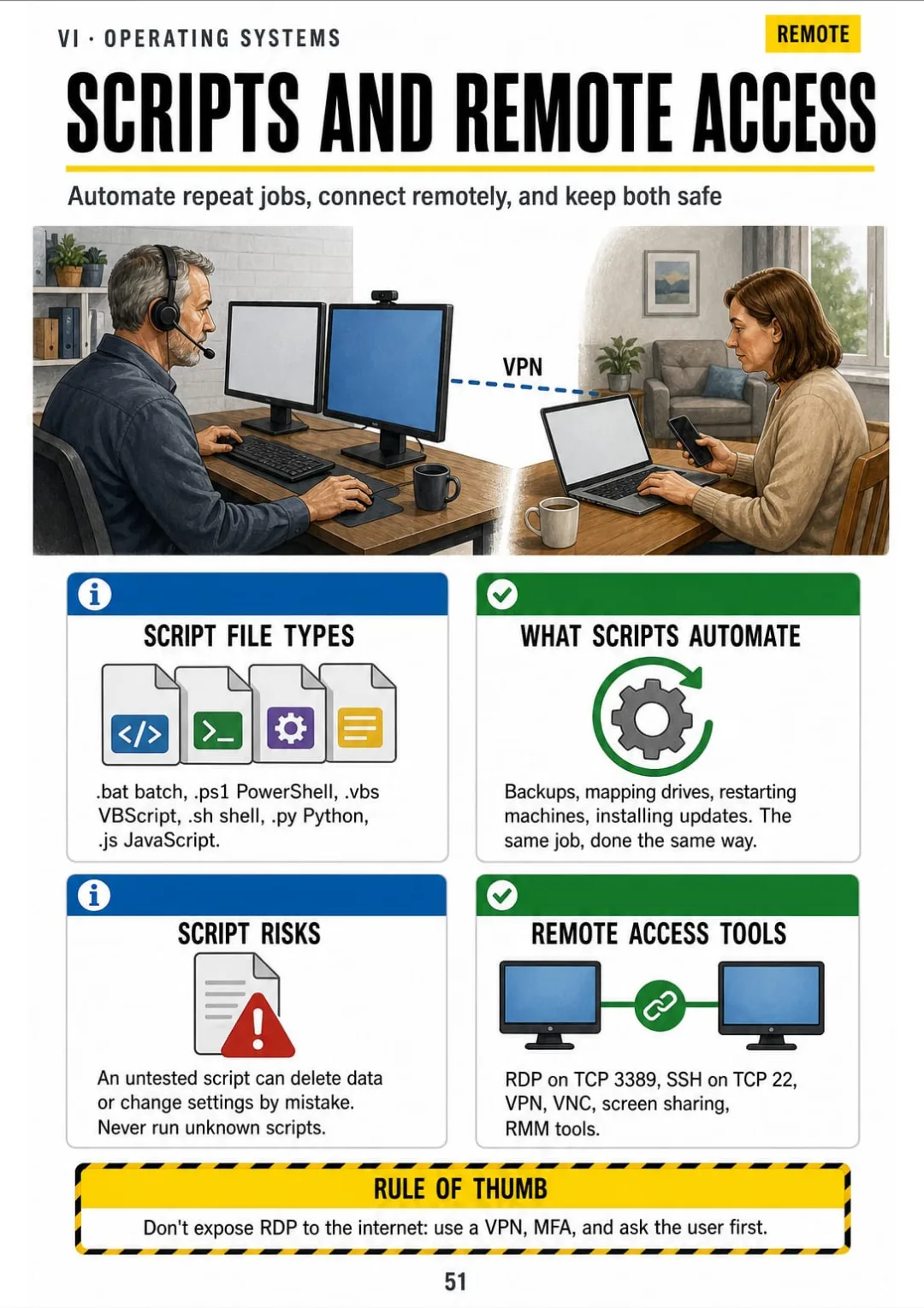
.bat, .ps1, .sh and more; RDP on 3389, SSH on 22, and how to secure them.
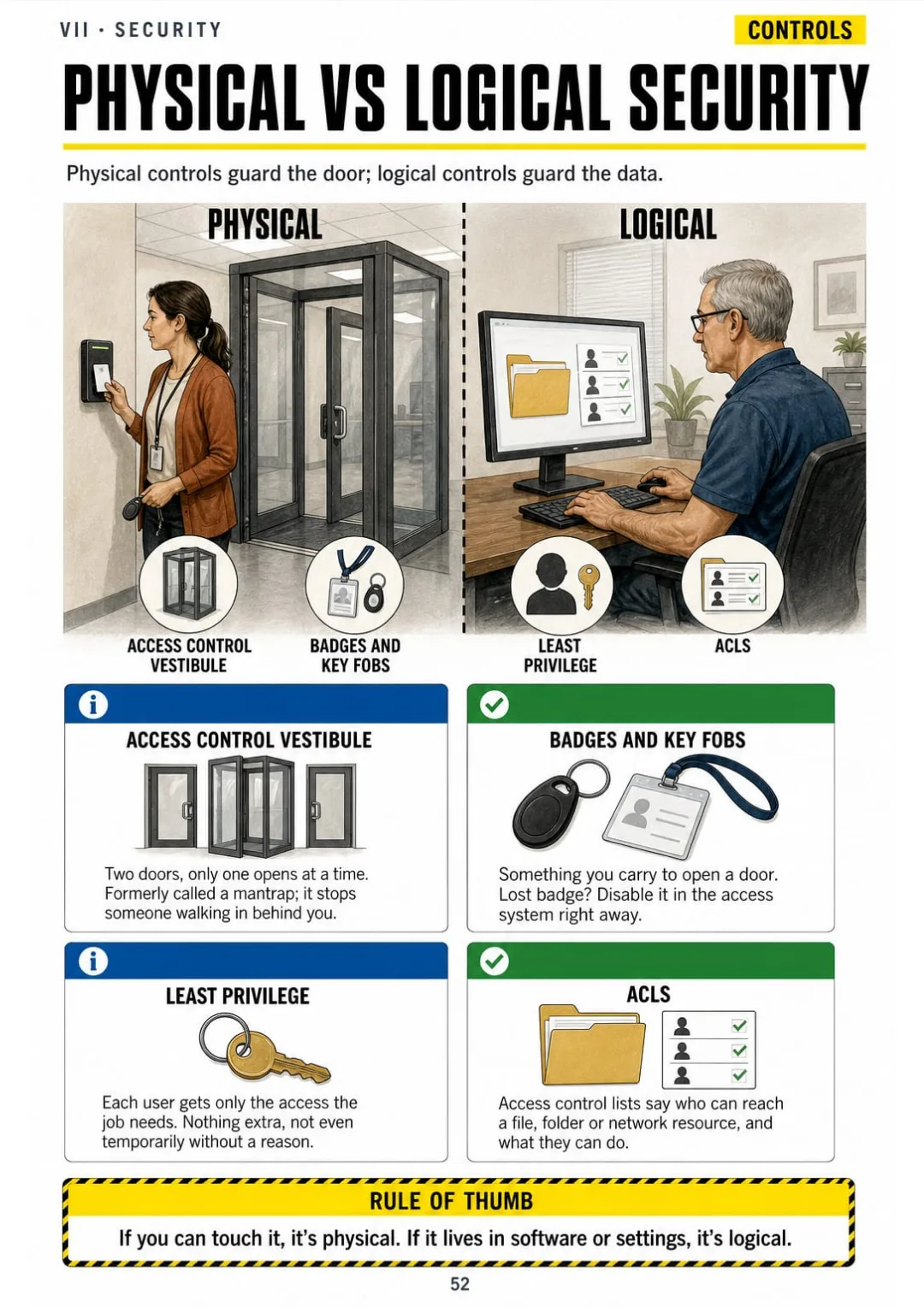
Badges, vestibules, cameras and locks on one side; least privilege, ACLs and MFA on the other.
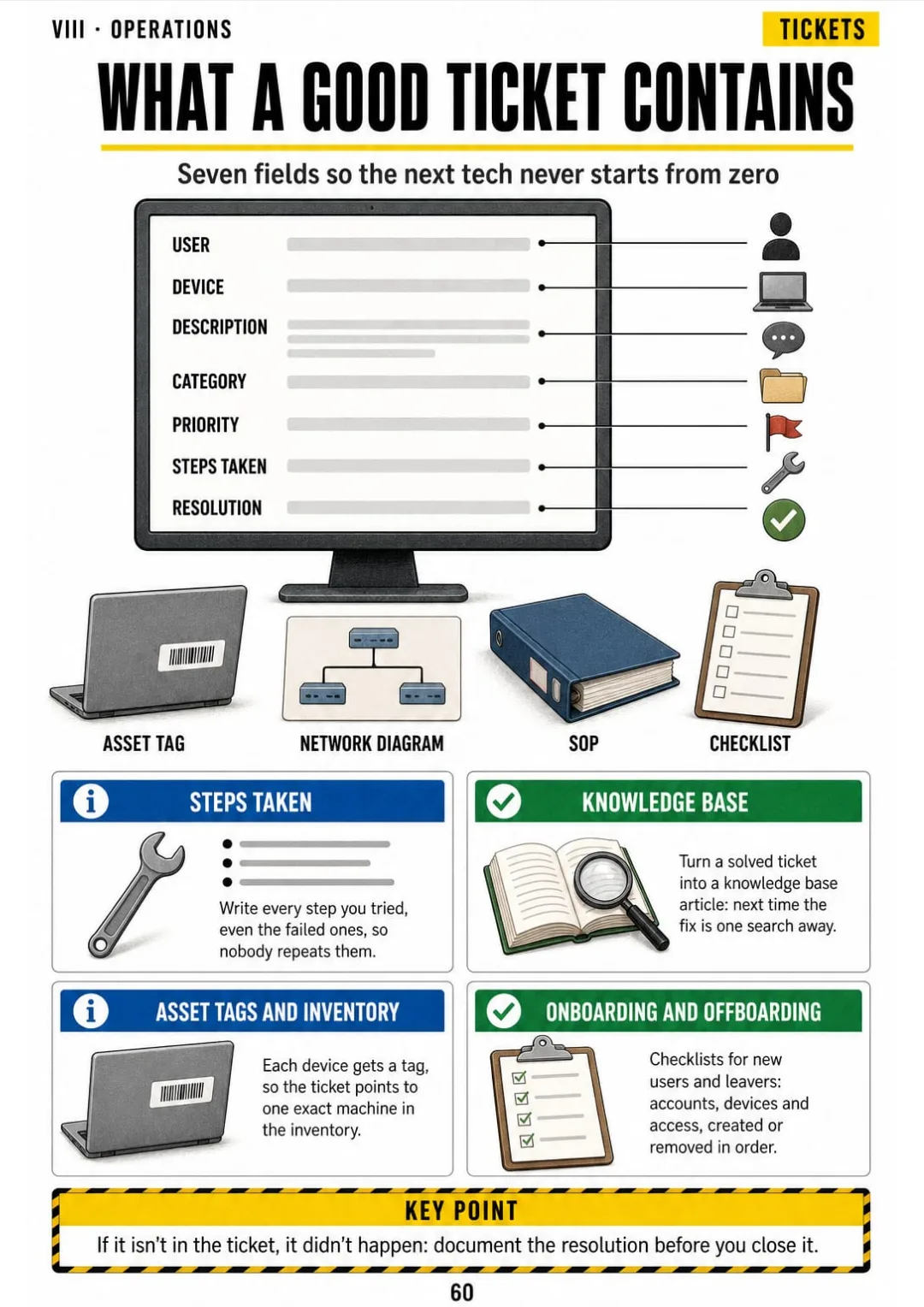
User, device, description, category, priority, steps taken, resolution: the ticket, field by field.

Take a Look at the 9 Parts and 66 Topics

Start Here

pp. 5-8
  1. Two Exams, One Map
  2. The 6-Step Troubleshooting Method
  3. Step 1 Done Right: Questions Before Tools
  4. Safety at the Bench: ESD and Power

Inside the PC

pp. 9-18
  1. The PC Opened Up, Labeled
  2. Motherboard Form Factors and Slots
  3. CPU, Cores and Cooling
  4. RAM: Which Stick Goes Where
  5. Storage: HDD, SSD, NVMe
  6. RAID Drawn With Disks
  7. The Power Supply and Its Connectors
  8. Ports and Cables You Have to Recognize
  9. Display Basics
  10. BIOS/UEFI, Secure Boot and TPM

Networking

pp. 19-28
  1. Ports and Protocols as a Map
  2. TCP vs UDP
  3. IPv4 Addresses at a Glance
  4. IPv6 Without Panic
  5. DHCP and DNS: Who Gives You What
  6. Network Devices: Who Does What
  7. Network Cables and Tools
  8. Wi-Fi Standards and Bands
  9. Network Types and Internet Connections
  10. SOHO Router Setup Checklist

Mobile, Printers and Cloud

pp. 29-35
  1. Laptop Parts You Replace
  2. Phones and Tablets: Connect and Sync
  3. The 7 Steps of the Laser Printer
  4. Inkjet, Thermal and Impact Printers
  5. Printer Setup and Sharing
  6. Virtualization: Type 1 vs Type 2
  7. Cloud Models at a Glance

Hardware and Network Troubleshooting

pp. 36-42
  1. No Power, No POST
  2. Overheating, Noise and Random Shutdowns
  3. Storage and RAID Problems
  4. Display and Video Problems
  5. Printer Problems Matched to Causes
  6. 'The Internet Is Down': The Order You Check
  7. Wi-Fi and Mobile Device Problems

Windows and Other Operating Systems

pp. 43-51
  1. Windows Editions: Home vs Pro vs Enterprise
  2. Installing Windows: Partitions and File Systems
  3. The Windows Tools You Open Most
  4. Settings and Control Panel: Where Things Live
  5. Windows Command Line, One Command per Card
  6. Workgroups, Domains and Sharing
  7. macOS for the Windows Tech
  8. Linux Commands You Need to Know
  9. Scripting and Remote Access Basics

Security

pp. 52-59
  1. Physical Security and Logical Security
  2. Authentication Factors and MFA
  3. Malware Types, Drawn
  4. Social Engineering and Attacks
  5. The 7 Steps to Remove Malware
  6. Windows Security Settings
  7. Wireless and Browser Security
  8. Data Destruction and Disposal

Operational Procedures

pp. 60-65
  1. Tickets and Documentation
  2. Change Management in Steps
  3. Backups: Full, Incremental, Differential
  4. Environment, Safety and Disposal
  5. Privacy, Licensing and Policies
  6. Talking to Users Like a Pro

Final Review

pp. 66-70
  1. The Most Frequent Mix-Ups
  2. Performance-Based Questions: How to Approach Them
  3. Exam Day: What to Know Before You Sit
  4. The Last 7 Days Checklist
  5. Your First Help-Desk Ticket, Start to Finish

Who This Book Is For

You're studying for the A+

Every topic of Core 1 and Core 2 on its own drawn page, in order, so an hour after work actually adds up.

Your exam date is close

You review the ports map, RAID, the printer steps and the most frequent mix-ups at a glance, and know what to check first on each question.

You already work help desk

The 6-step method and the troubleshooting pages are there to keep at hand, so a real ticket follows the same order every time.

Plus: 2 Free Books

Exam-Style Practice Questions: Core 1 & Core 2
BONUS 1

Exam-Style Practice Questions: Core 1 & Core 2

Practice with exam-style questions split by Core 1 and Core 2, each answer explained with the page to review, so you see what you really know before test day.
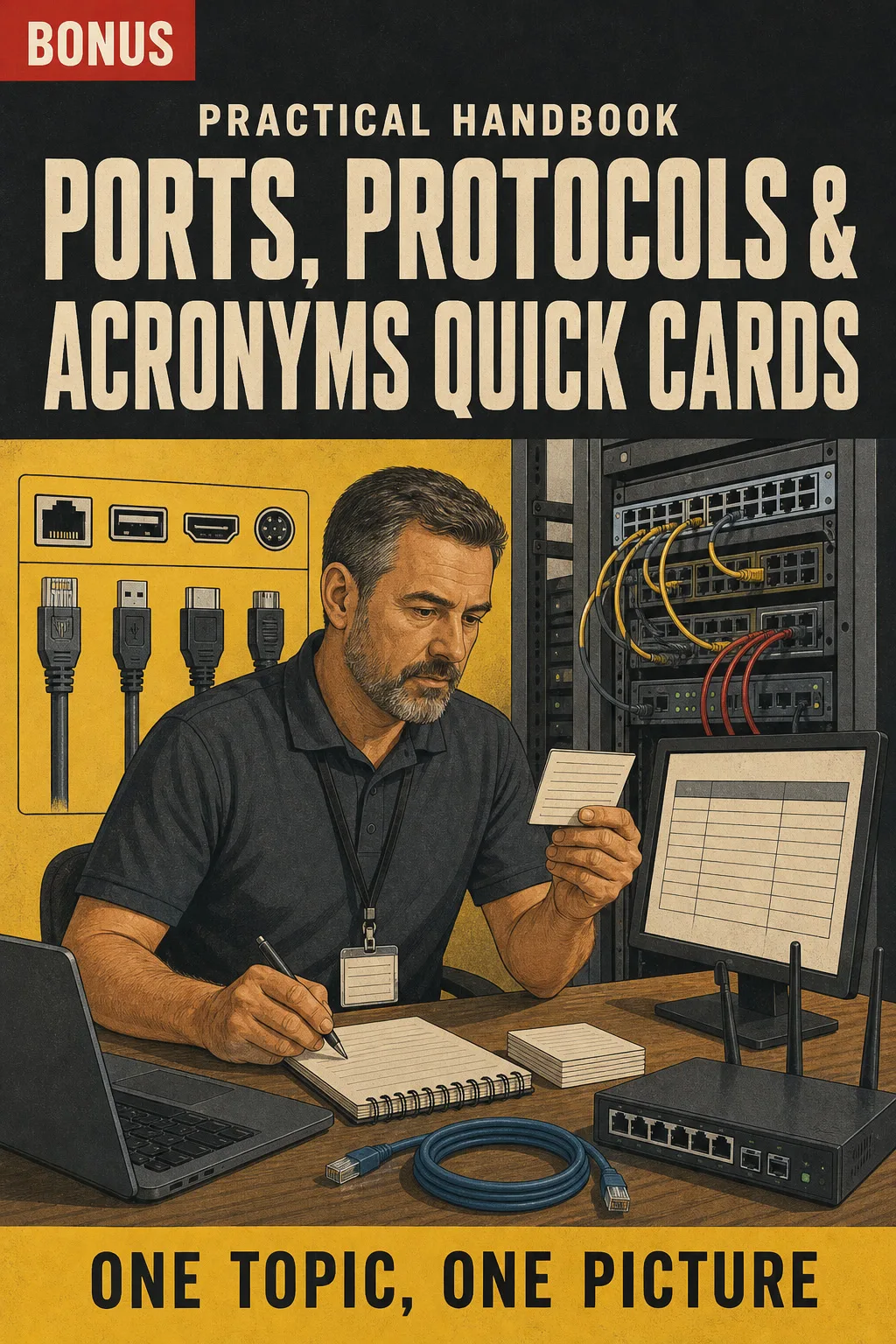
Ports, Protocols & Acronyms Quick Cards
BONUS 2

Ports, Protocols & Acronyms Quick Cards

All the port numbers, protocols and acronyms you keep mixing up, on printable cards you can review in a few minutes before bed or on your break.

30-Day Guarantee

30-day guarantee: if a file doesn't open, if the content isn't what the product page describes, if you were charged twice or the email never arrived, write to us and we'll refund you in full. You pay once. No subscriptions.

Frequently Asked Questions

Is it for me if I'm switching to IT and have never worked in it?

Yes. It starts with the map of both exams and builds from there, one drawn topic per page. If you're already the one who fixes the office computers, it puts names and order to what you do.

Is it updated for the new exams, 220-1201 and 220-1202?

Yes. It's written in our own words and checked against the current published exam objectives for Core 1 (220-1201) and Core 2 (220-1202), not the older 1101/1102 series.

Is it official material?

No. It's an independent study book, not affiliated with or endorsed by CompTIA. It doesn't include an exam voucher or a certificate: you book and take Core 1 and Core 2 separately.

I already have videos and a big textbook. What does this add?

It doesn't replace them. It's what you review after them: every topic on one drawn page, in order, so the ports, RAID and the printer steps are in one place you can print and keep at hand. Hands-on practice and your course are still part of getting ready.

Are the practice questions the ones on the exam?

No. They're exam-style questions written for this book, each with an explanation and the page to review. They are not official exam questions.

When and how do I get it?

The book and the 2 bonus books come as a PDF by email, to the address you enter at checkout.

Do I have to pay every month?

No. It's a one-time payment. No subscription.

Can I have it on paper?

Yes. The PDF is printable, so you can print the whole book or just the pages you want at hand.

How does the refund work?

You have 30 days. We refund everything if the file won't open, if the book isn't what you see on this page, if you were charged twice or if the email doesn't arrive: just email us.

US$ 27US$ 63
Get the book · US$ 27

This is a digital PDF book sent to your email: nothing is printed or shipped.

More books on this topic

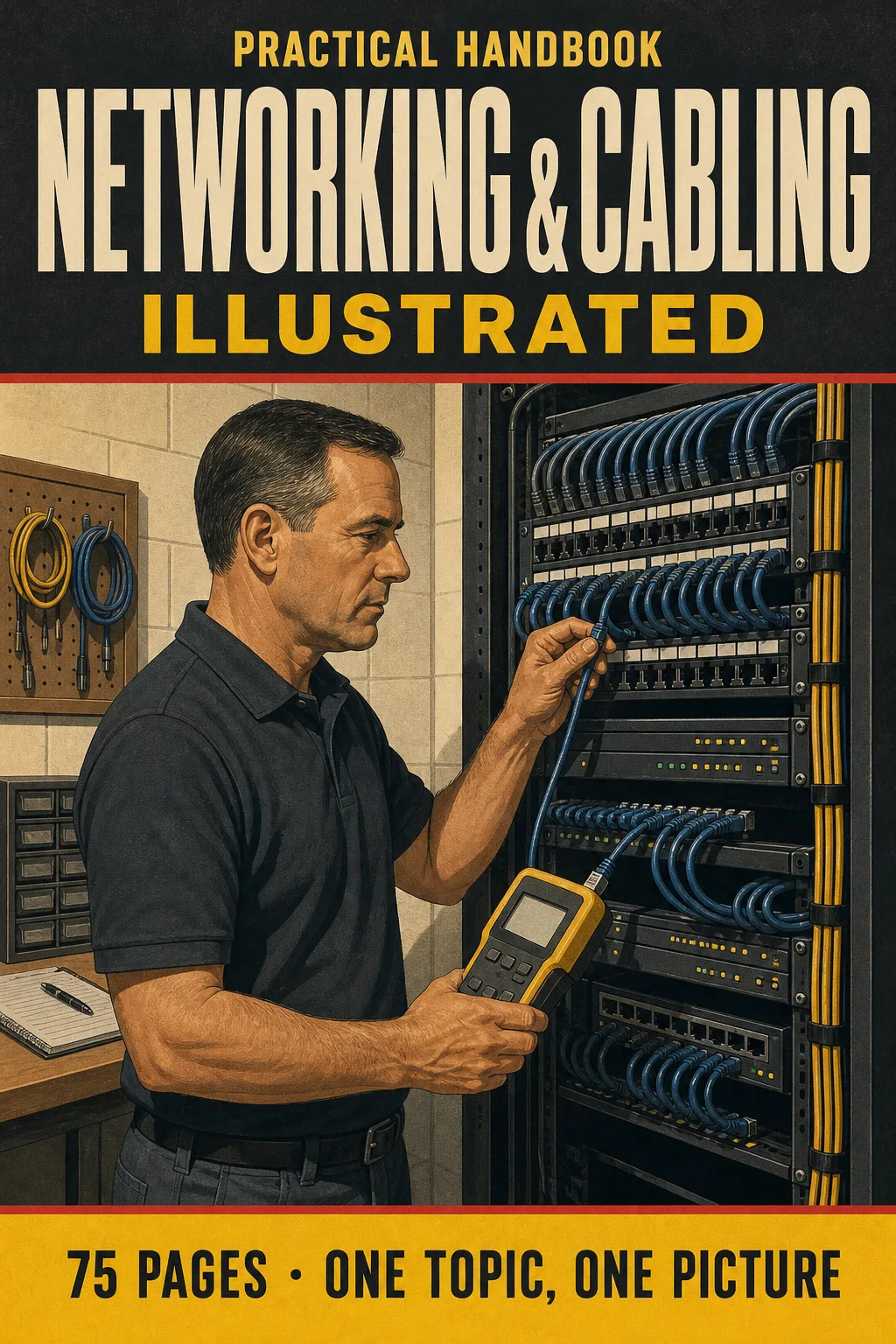
Networking & Cabling Illustrated

Networking and structured cabling explained one topic per page, each with a big, clear drawing: RJ45 pinouts T568A and…

From US$ 27 US$ 63

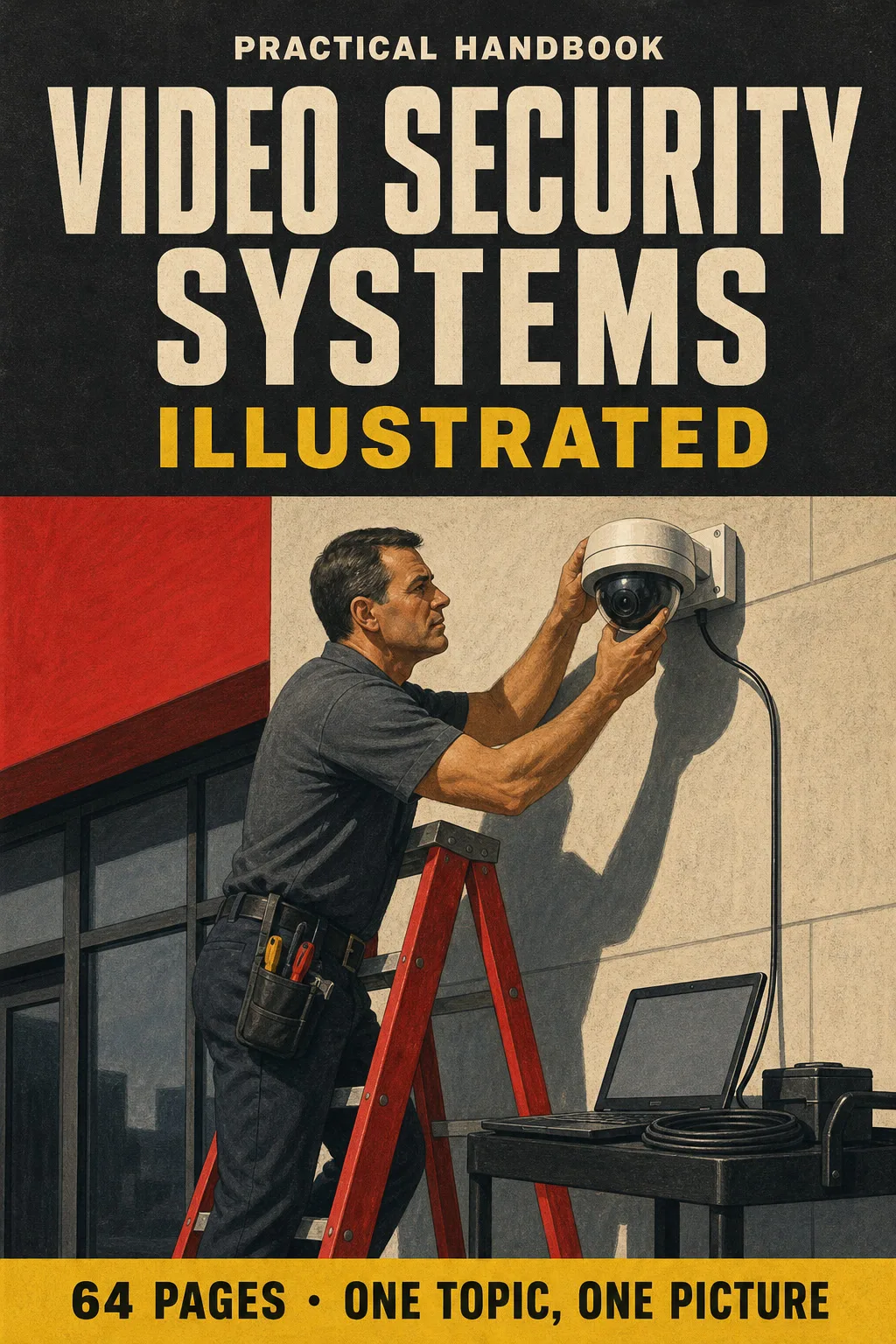
Video Security Systems Illustrated

Video surveillance explained one topic per page, every concept drawn: system architecture, camera types, lenses and…

From US$ 27 US$ 63

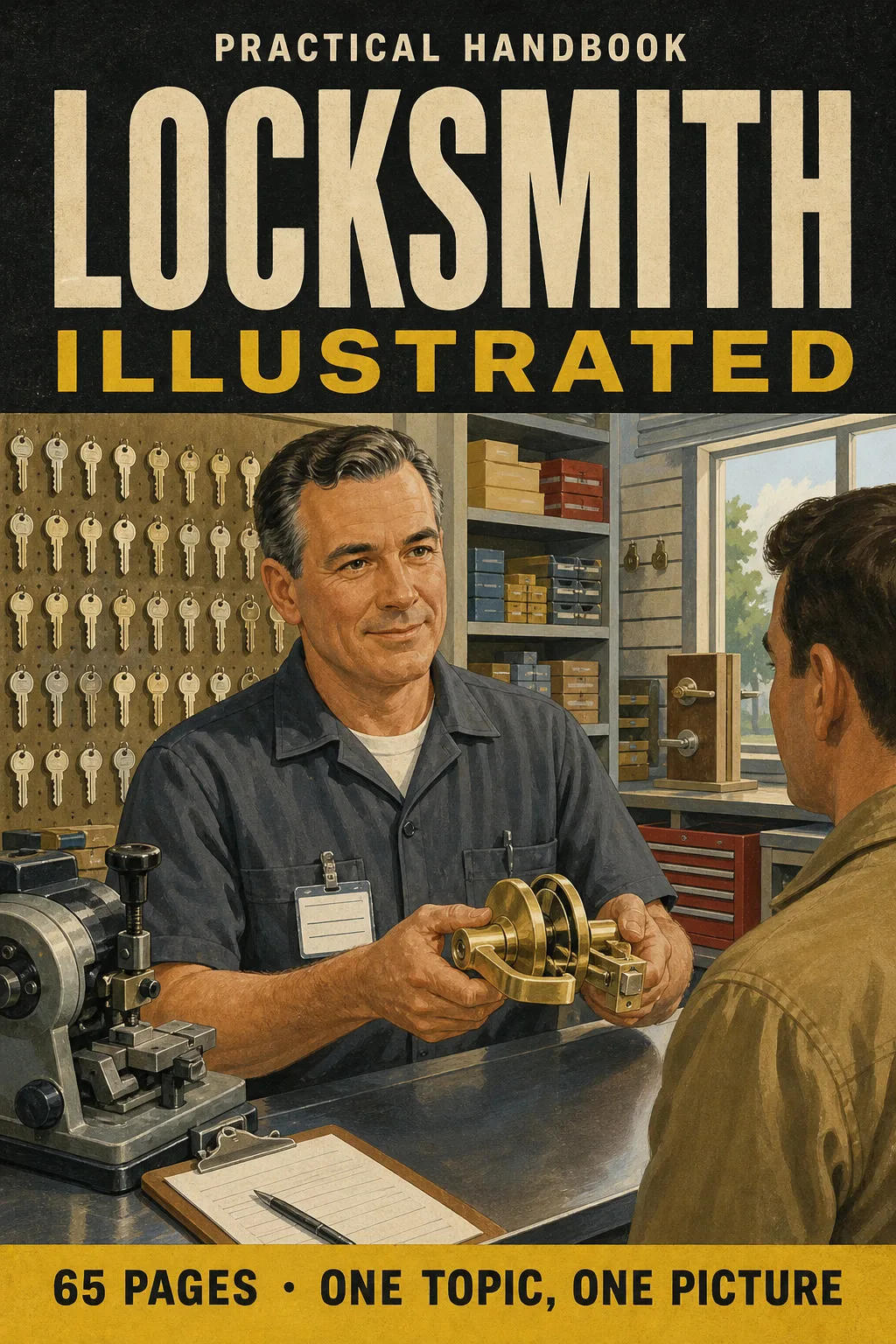
Locksmith Illustrated

An illustrated locksmith book for license and certification prep: pin tumbler cylinders, key blanks and bitting…

From US$ 27 US$ 63

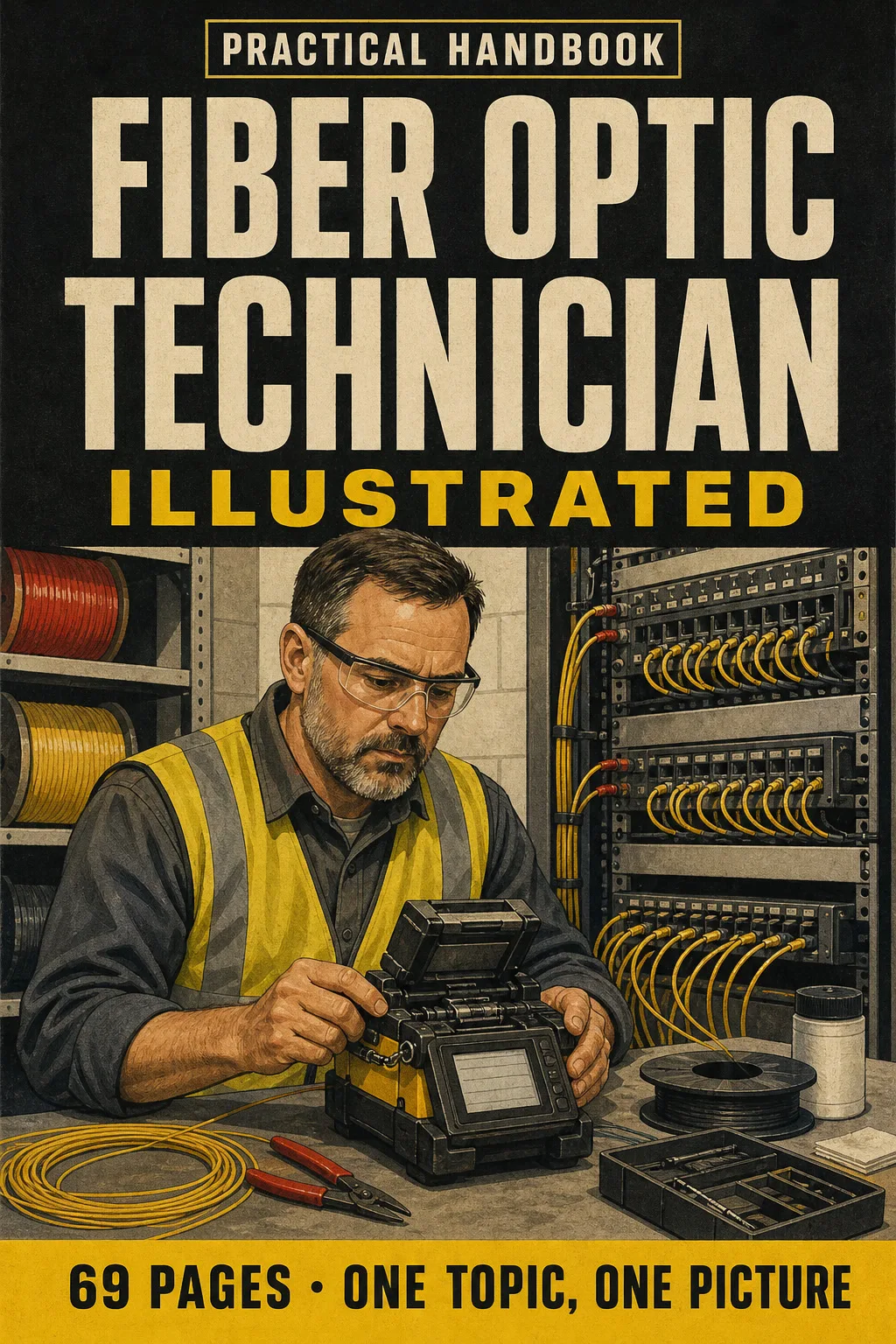
Fiber Optic Technician Illustrated

Fiber optics explained one topic per page, every concept drawn: singlemode vs. multimode, LC/SC/MPO and UPC vs. APC…

From US$ 27 US$ 63

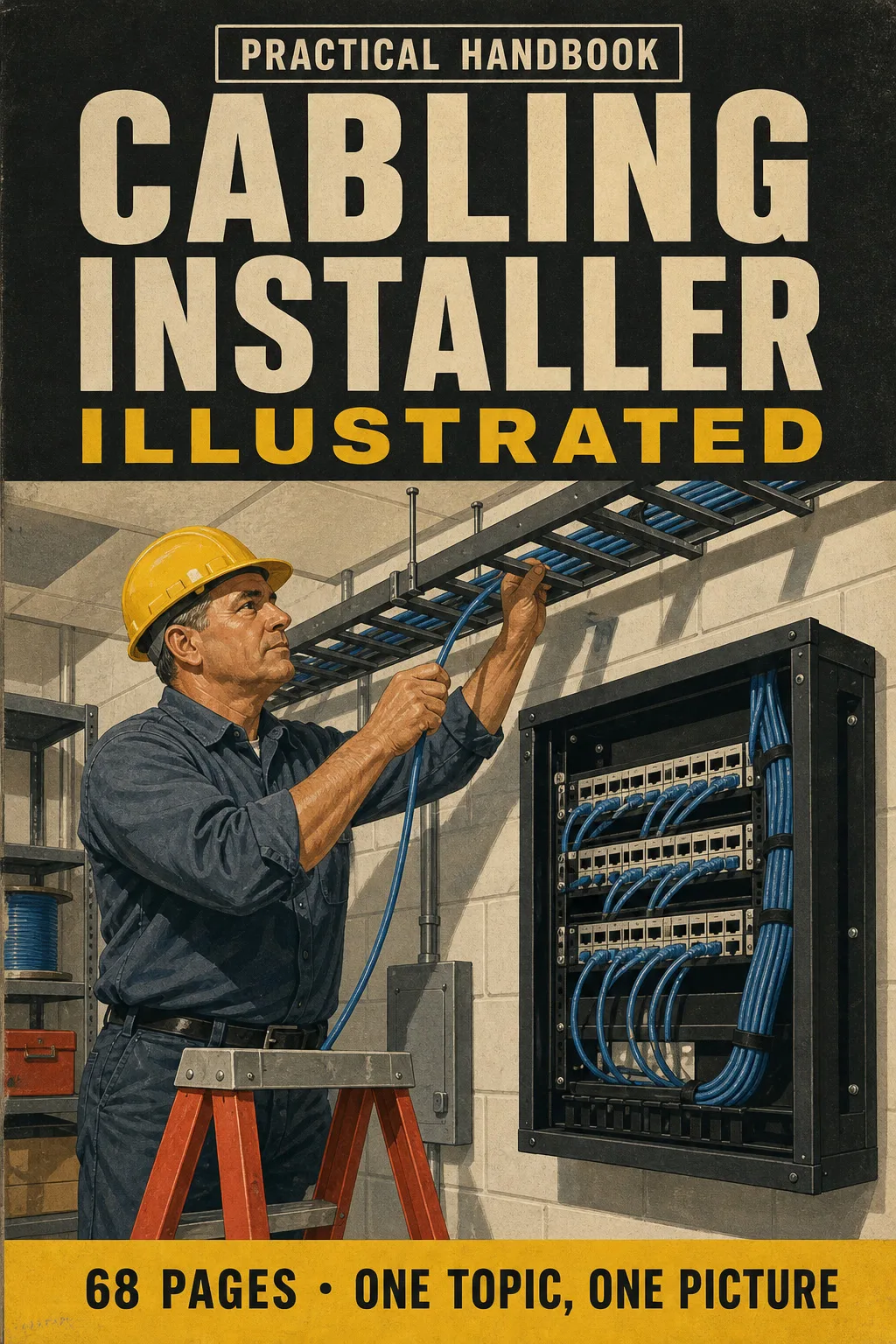
Cabling Installer Illustrated

Structured cabling explained one topic per page, every concept drawn: the 6 subsystems as one path, Cat 5e vs Cat 6 vs…

From US$ 27 US$ 63

Tower Technician Illustrated

Get ready for the TTT-1 written exam with a book you can actually picture: tower anatomy, fall protection, 100%…

From US$ 27 US$ 63