Study in Pictures🌐 English (South Africa)
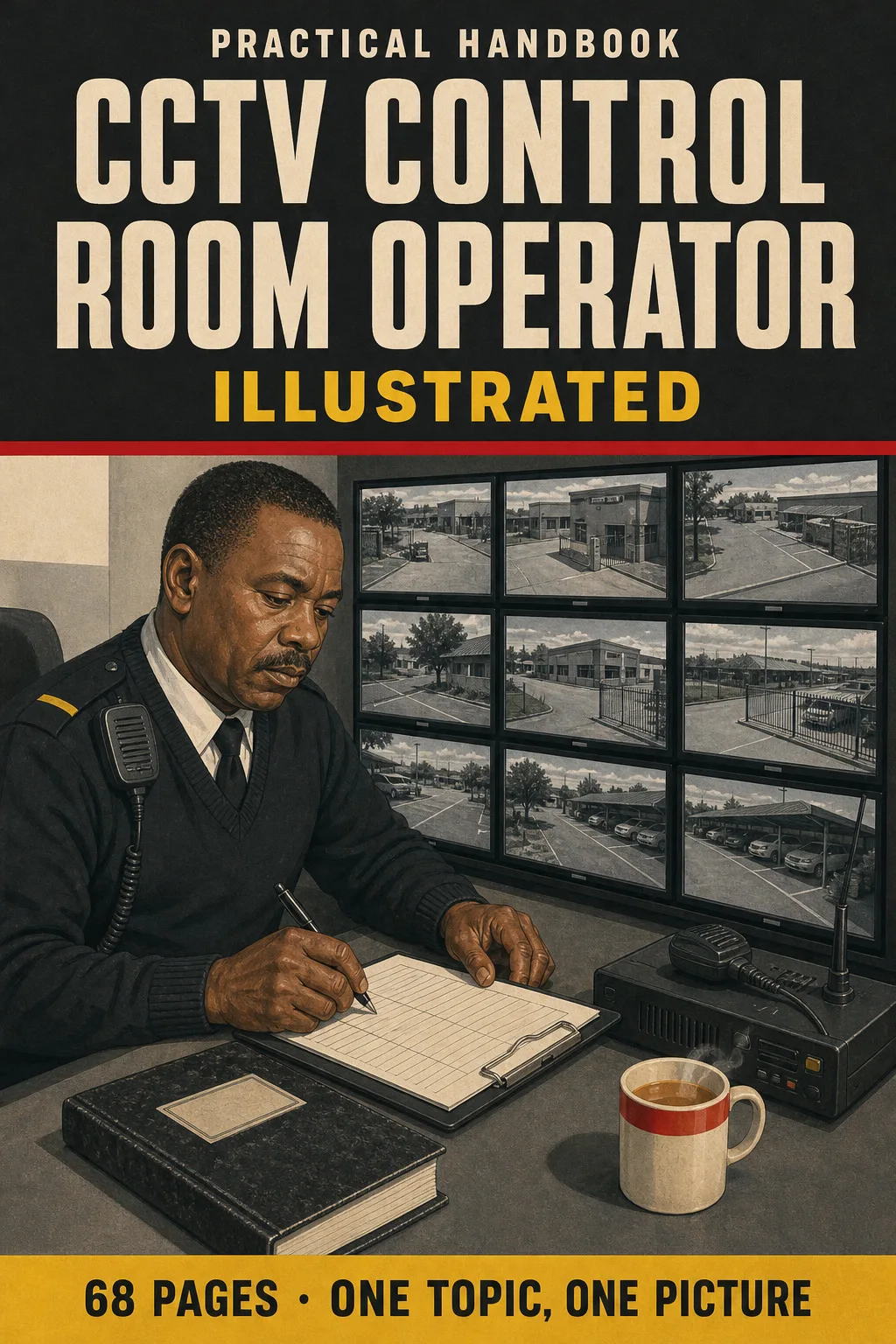
CCTV Control Room Operator Illustrated

Digital book in PDF · read it on your phone or print it

CCTV Control Room Operator Illustrated

Taking over, the camera tour, fixed, dome and PTZ cameras, alarm verification, radio calls, the occurrence book, exporting footage and handover. Every topic has its own page: the drawing first, then what you need to remember.

  • 68 illustrated pages
  • English
  • 30-day guarantee
R399R999
Get the book · R399

Price shown for: South Africa. In other countries, the checkout shows the price that applies there.

About this book

What it is

Taking over, the camera tour, fixed, dome and PTZ cameras, alarm verification, radio calls, the occurrence book, exporting footage and handover. Every topic has its own page: the drawing first, then what you need to remember.

Who This Book Is For
  • You're moving from the gate to the desk
  • You've just started in the control room
  • You've worked the desk for years
What it covers
  1. The Control Room at a Glance
  2. The Shift Map
  3. Know Your Cameras
  4. Watching the Screens
  5. Alarms: Verify Before You Send
  6. Clear Radio Calls
  7. The Occurrence Book and Evidence
  8. Incidents Step by Step
  9. Before Your Shift
Language
English (South Africa)
Pages
68
Format
Digital book in PDF · read it on your phone or print it
Price
R399 (South Africa)
Delivery
This is a digital PDF book sent to your email: nothing is printed or shipped.
30-Day Guarantee
30-day guarantee: if a file doesn't open, if the content isn't what the product page describes, if you were charged twice or the email never arrived, write to us and we'll refund you in full.

Look Inside the Book

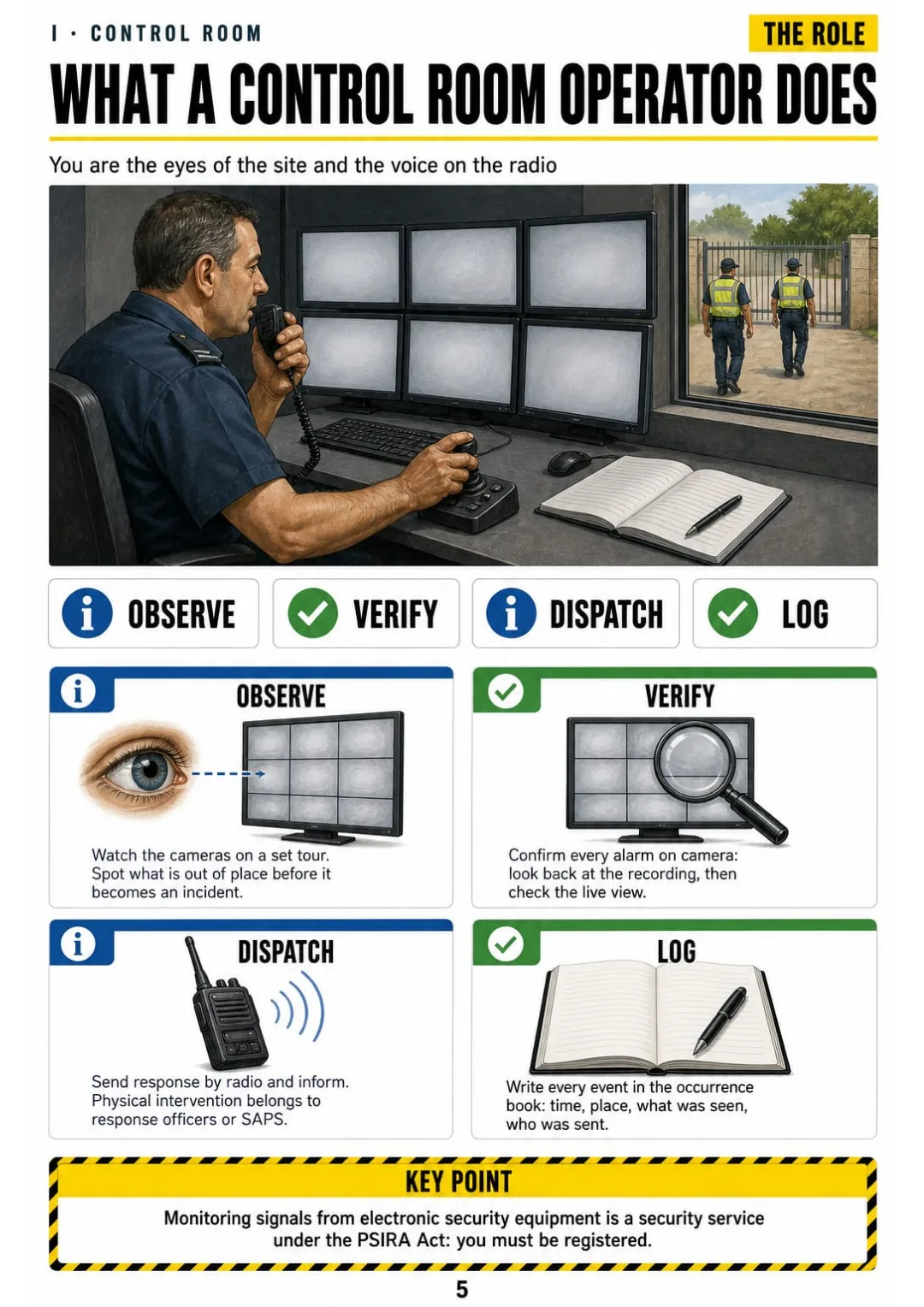
The operator's job in four verbs: observe, verify, dispatch, log — you direct, you don't run.
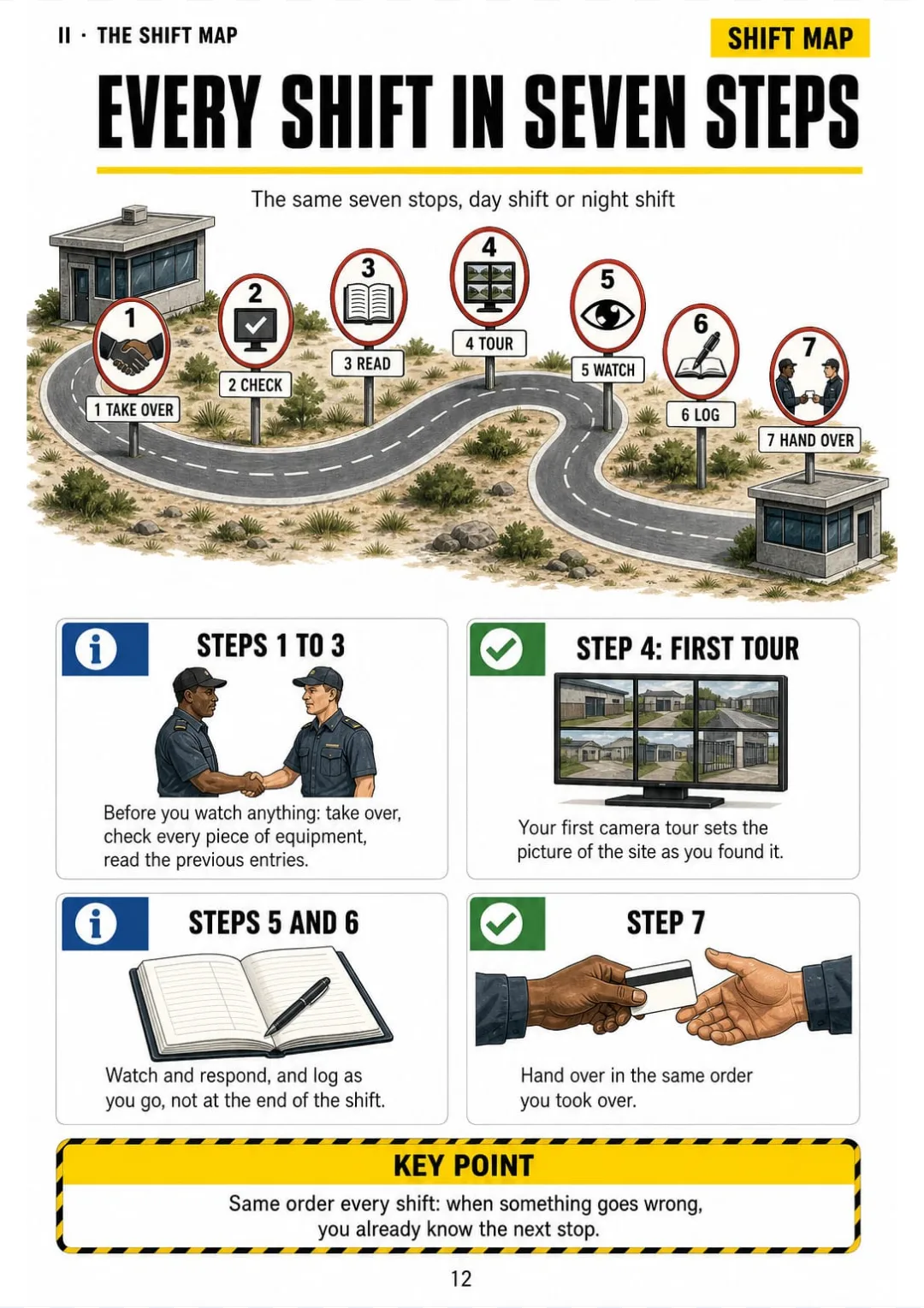
7 stops: take over, check, read, tour, watch, log, hand over
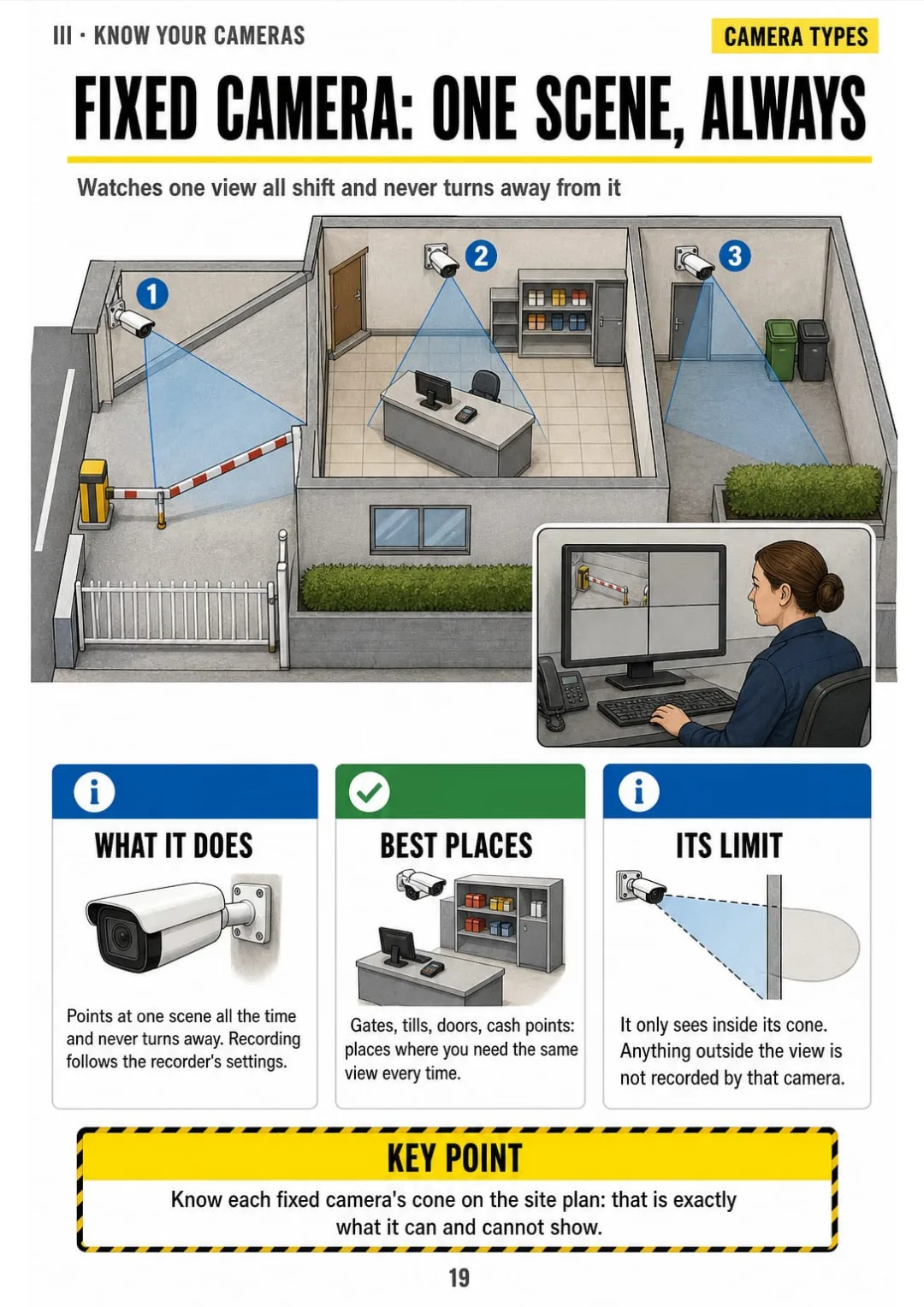
Fixed camera: one view, all shift — gates, tills and doors, drawn on a site plan.
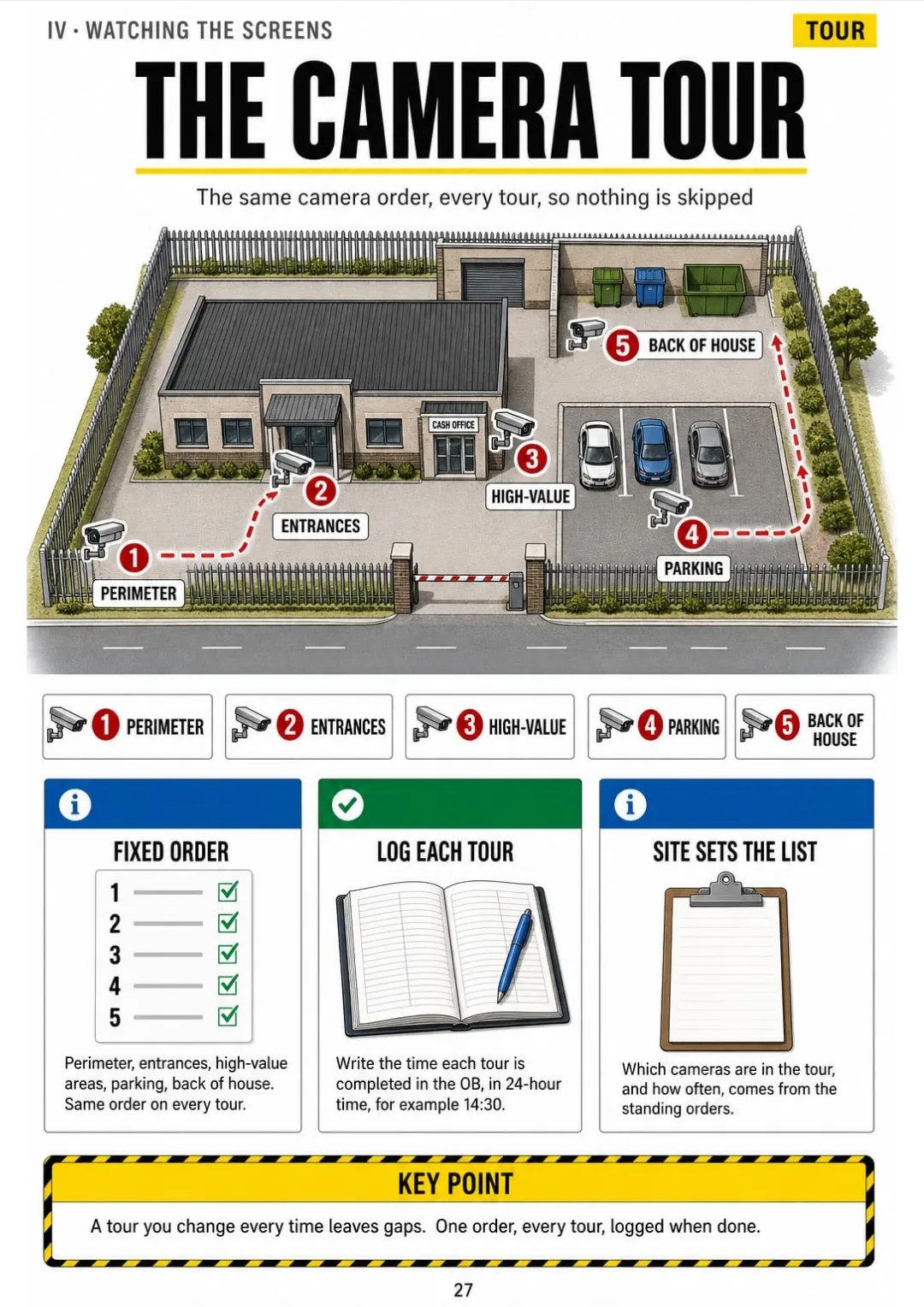
Five stops, always in order: perimeter, entrances, high-value, parking, back of house.
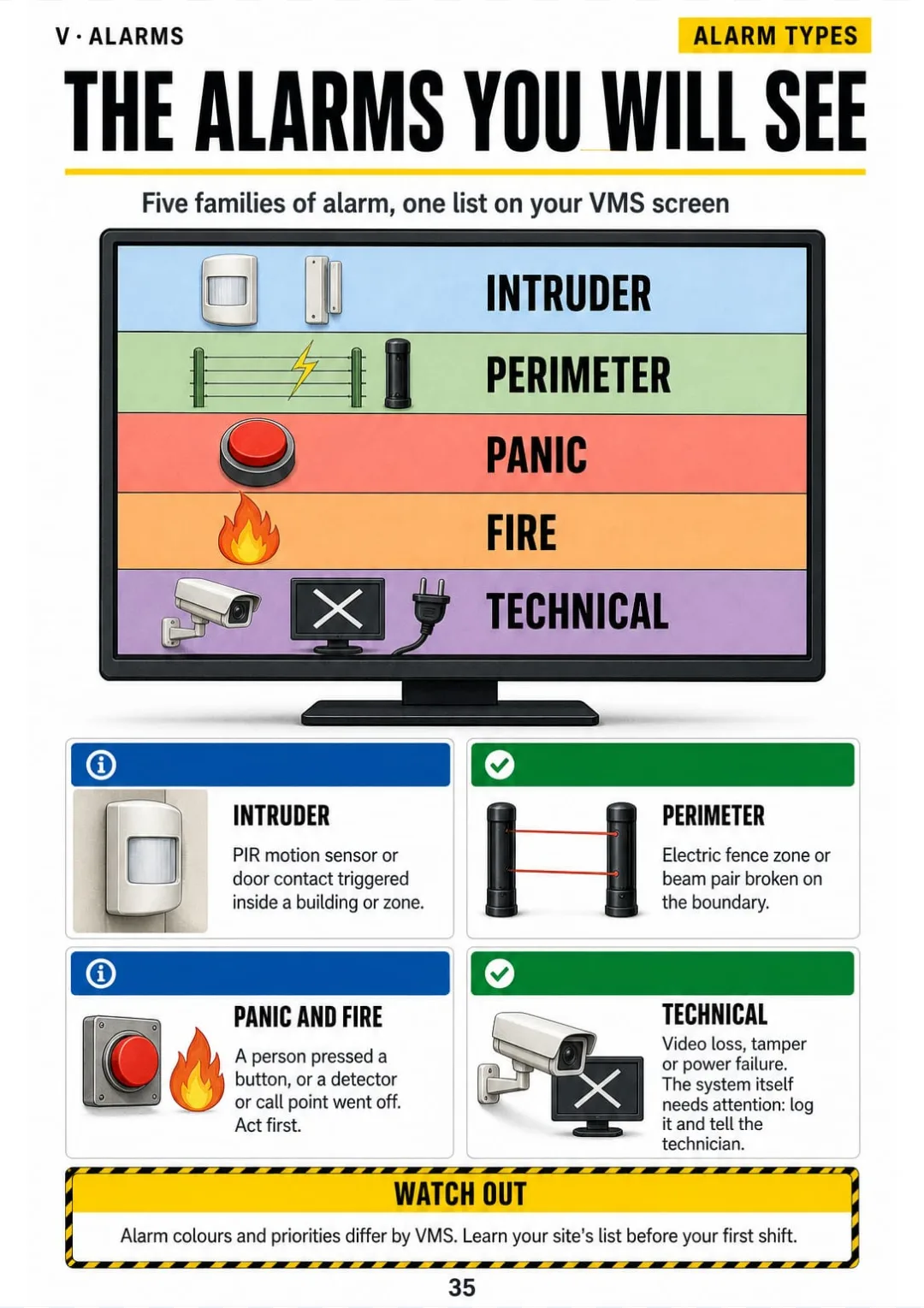
Intruder, perimeter, panic, fire and technical: the five alarms on your VMS list
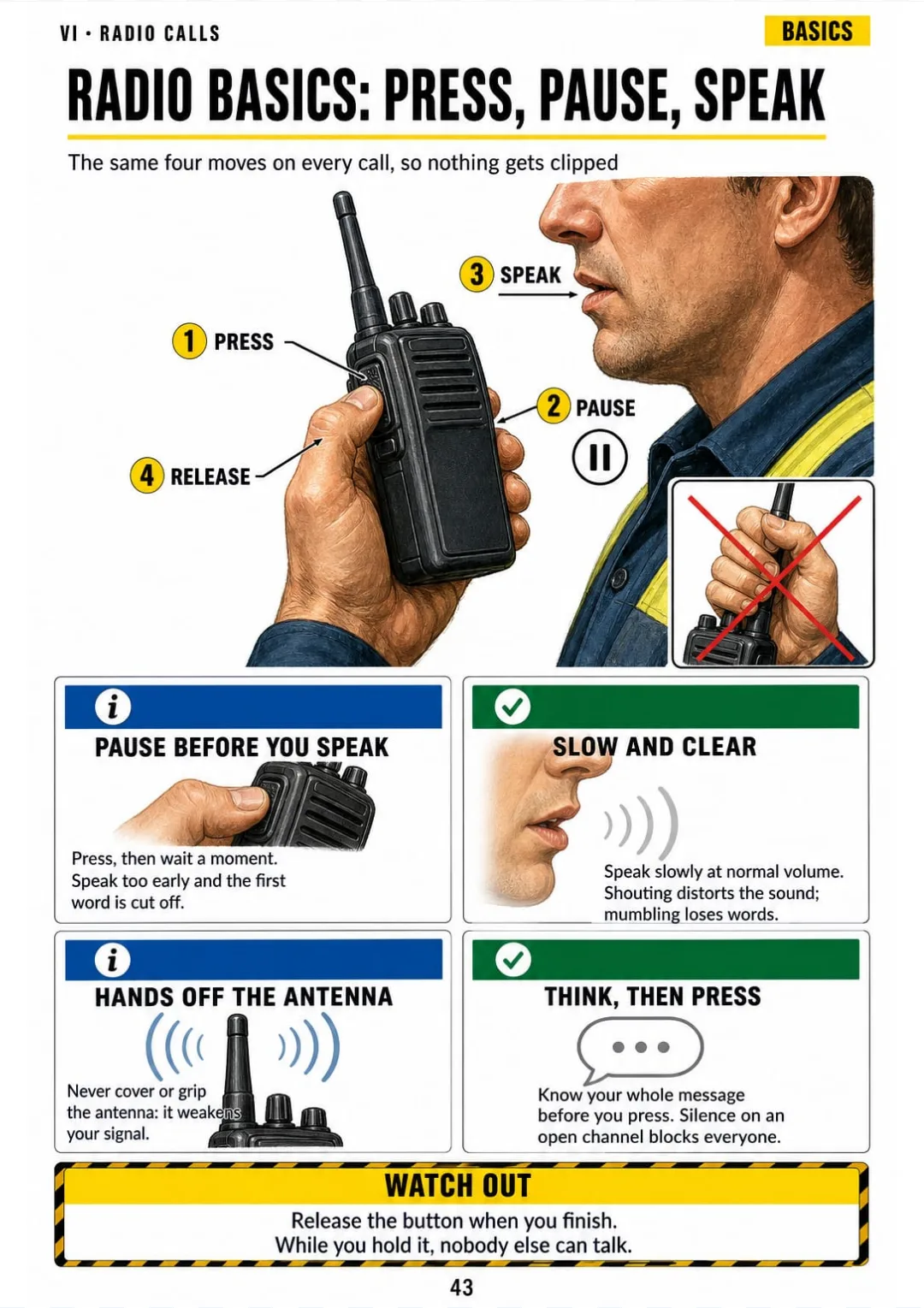
Press, pause, speak, release: four moves so your first word never gets cut off.
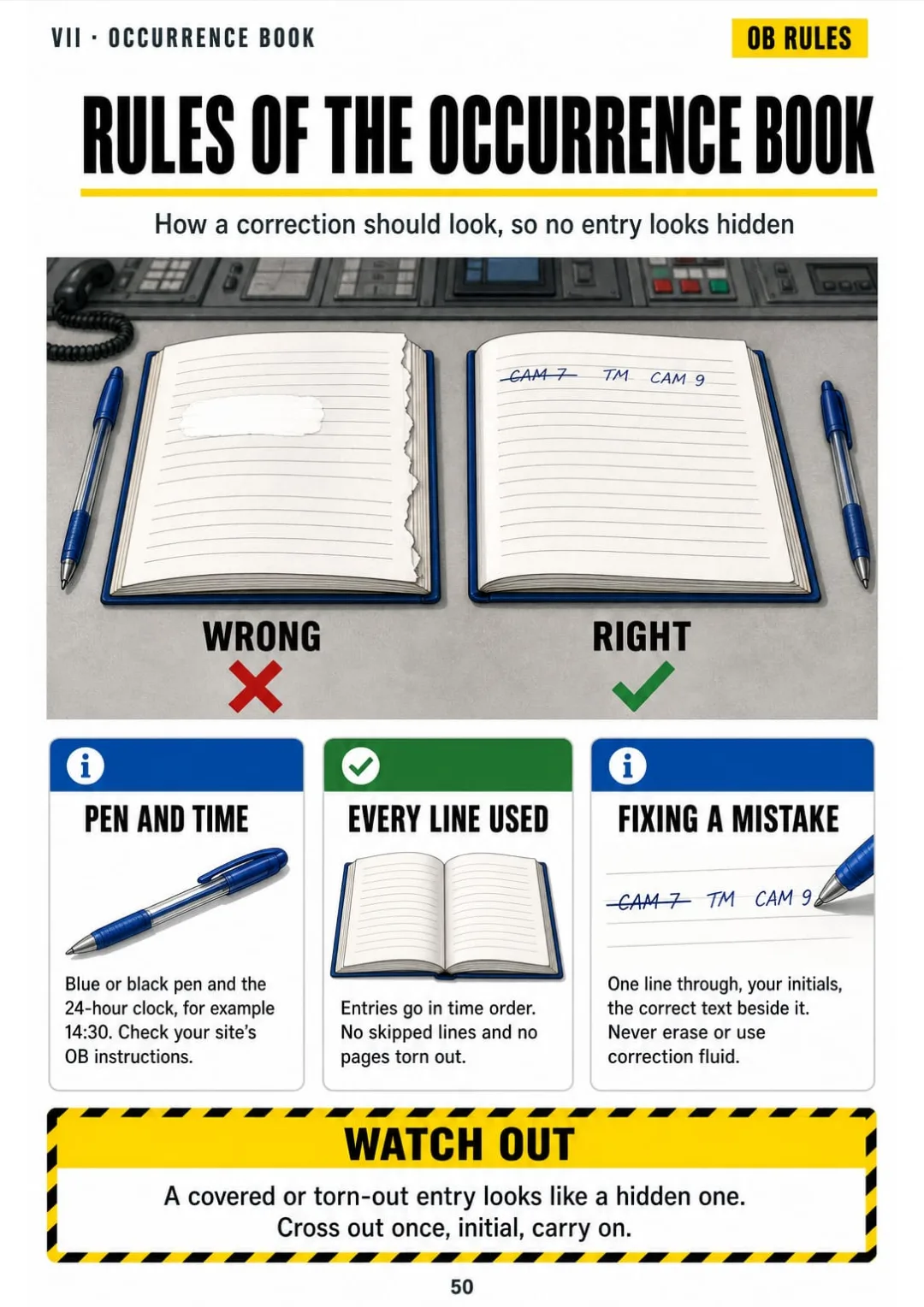
Blue or black pen, 24-hour time, no skipped lines, no correction fluid, no torn pages.
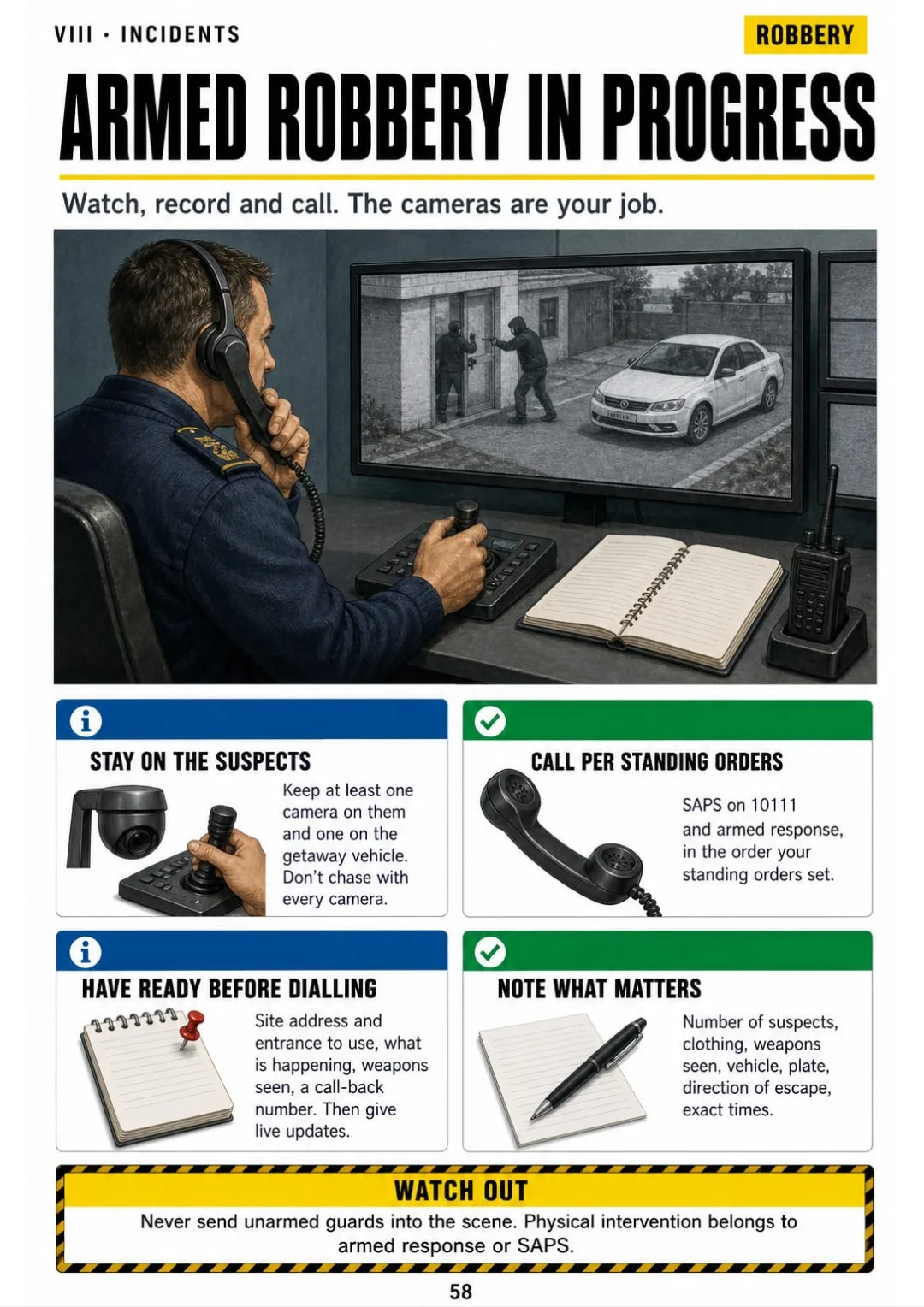
Armed robbery: cameras on suspects and vehicle, 10111 and armed response, never unarmed guards in.

Take a Look at the 9 Parts and 64 Topics

The Control Room at a Glance

pp. 5-11
  1. What a Control Room Operator Actually Does
  2. The Room, Drawn and Labelled
  3. The Video Wall and Your Spot Monitor
  4. The Recorder and the VMS Screen
  5. Your Desk Kit
  6. The Legal Frame You Work In
  7. POPIA in the Control Room

The Shift Map

pp. 12-18
  1. Every Shift in Seven Steps
  2. Taking Over: Arrive Early, Ask First
  3. The Equipment Check
  4. Reading the Previous Shift's Entries
  5. Standing Orders and Post Instructions
  6. The Rhythm in the Middle of the Shift
  7. Handing Over a Clean Shift

Know Your Cameras

pp. 19-26
  1. Fixed Camera
  2. Dome Camera
  3. PTZ Camera
  4. Thermal Camera
  5. Day/Night and Infrared
  6. Number Plate Cameras
  7. Detect, Observe, Recognise, Identify
  8. Blind Spots and Image Faults

Watching the Screens

pp. 27-34
  1. The Camera Tour
  2. Scanning a Screen Without Missing It
  3. Attention Drops: Plan Your Breaks
  4. Suspicious Behaviour: Person
  5. Suspicious Behaviour: Vehicle
  6. Tracking a Person Across the Site
  7. PTZ Presets and Patrol Paths
  8. Busy Times and Quiet Times

Alarms: Verify Before You Send

pp. 35-42
  1. The Alarms You Will See
  2. Genuine, False or Nuisance
  3. The Verification Flowchart
  4. Look Back, Then Look Live
  5. Sending a Response
  6. Electric Fence Zones
  7. Panic Button and Duress
  8. When to Escalate

Clear Radio Calls

pp. 43-49
  1. Radio Basics
  2. Who You Call, Who You Are
  3. The Phonetic Alphabet
  4. Numbers and Time on the Radio
  5. Pro-Words That Save Time
  6. One Message, Four Parts
  7. Emergency Numbers and Phone Calls

The Occurrence Book and Evidence

pp. 50-57
  1. Rules of the Occurrence Book
  2. Every Entry Answers Six Questions
  3. A Filled-In Page, Explained
  4. Describing a Person, Top to Toe
  5. Describing a Vehicle
  6. Exporting Footage
  7. Chain of Custody and the Time Gap
  8. Requests to See Footage

Incidents Step by Step

pp. 58-63
  1. Armed Robbery in Progress
  2. Medical Emergency on Camera
  3. Fire Alarm and Evacuation
  4. Load Shedding and Power Failure
  5. Cable and Copper Theft
  6. Lost Child or Missing Person

Before Your Shift

pp. 64-68
  1. One-Page Shift Checklist
  2. Ten Radio Calls to Practise
  3. Occurrence Book Self-Check
  4. The Most Common Control Room Mistakes
  5. Glossary at a Glance

Who This Book Is For

You're moving from the gate to the desk

You see the whole job before you sit down: the room, the cameras and the shift in seven steps, drawn.

You've just started in the control room

When an alarm comes up or the supervisor checks your book, the page shows you the order: verify, send, log.

You've worked the desk for years

What you learnt on the job is put in order, one topic per page, to revise before a shift and keep at the desk.

Plus: 2 Free Books

Spot It on Screen: Practice Scenes Workbook
BONUS 1

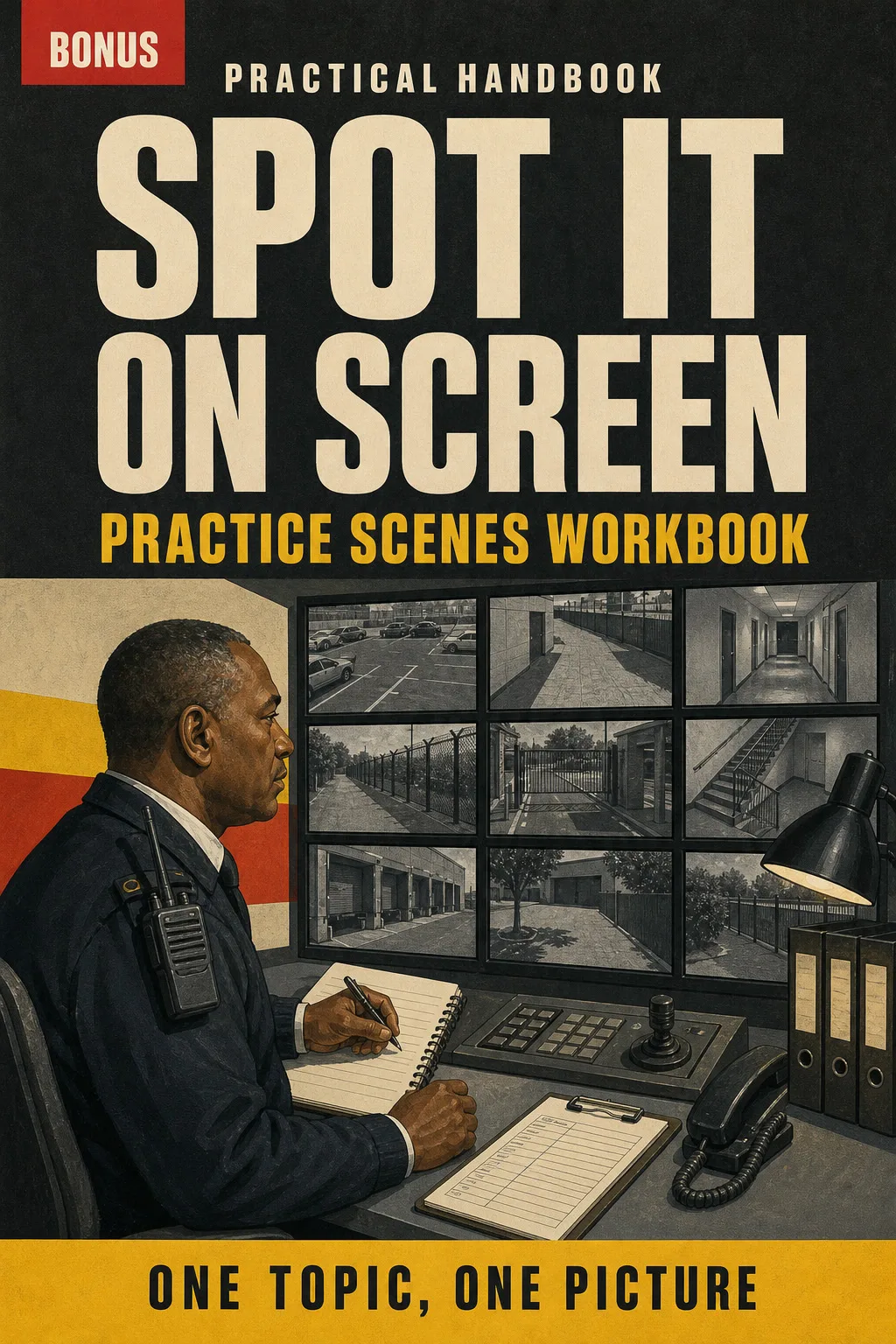
Spot It on Screen: Practice Scenes Workbook

Drawn screen scenes where you decide what you see, which camera to use next, what to say on the radio and what to write in the log, with the answers at the back.
15 Control Room Mistakes, Before and After
BONUS 2

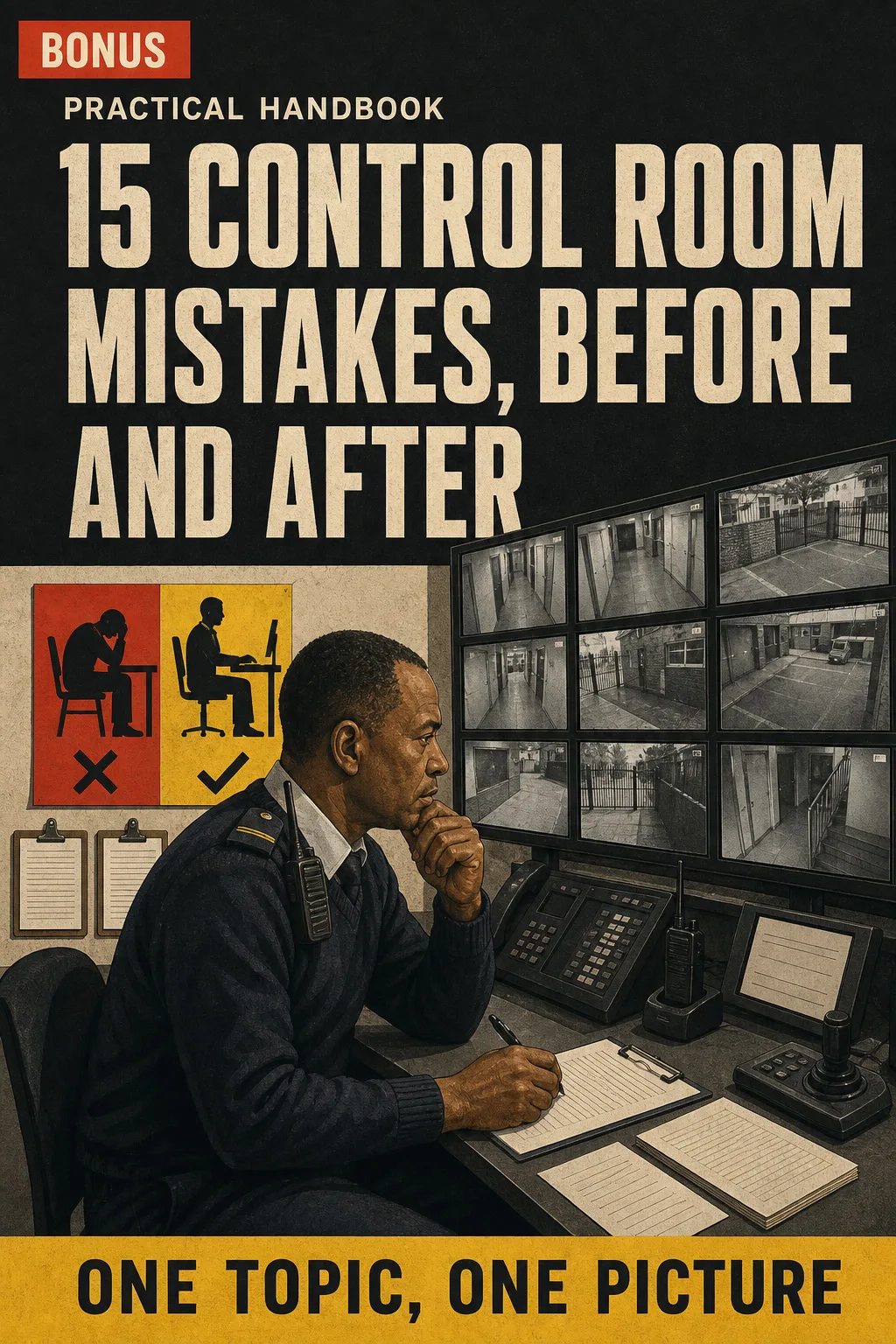
15 Control Room Mistakes, Before and After

The most common control room mistakes, from vague radio calls to messy occurrence book entries, each drawn wrong and right on one page so you can check yourself before your shift.

30-Day Guarantee

30-day guarantee: if a file doesn't open, if the content isn't what the product page describes, if you were charged twice or the email never arrived, write to us and we'll refund you in full. You pay once. No subscriptions.

Frequently Asked Questions

Does it work for my site, and for me if I've only worked the gate or foot patrol?

Yes. The basics are the same on a mall, an estate, a mine, a warehouse or an office park: taking over, the camera tour, alarms, radio calls, the occurrence book and handover. It starts from what an operator does and builds the shift step by step. If you already work the desk, it puts what you learnt on the job in order. Where your site does it differently, your site's procedures and standing orders always come first.

Where does the content come from?

From South African references: the Private Security Industry Regulation Act and its code of conduct, POPIA, the OHS Act 85 of 1993, SANS 10222 and IEC 62676-4 for image levels. Cited for reference only. Intervals and response rules are marked to check with your employer and standing orders.

Is this official material?

No. It's an independent illustrated study book, not linked to any regulator, security company or camera manufacturer.

Does it replace my training or site induction?

No. It doesn't replace accredited training, your site induction or your employer's instructions, and it doesn't give you a certificate or a PSIRA grade. It's for revising and having the steps at hand at the desk.

Are the practice scenes taken from an official assessment?

No. The scenes in the workbook are written for this book, with the answers at the back.

When and how do I get it?

As a PDF by email, to the address you enter when you pay. The 2 gift books come the same way.

Do I have to pay every month?

No. It's a one-off payment, with no subscription.

Can I have it on paper?

Yes. It's a PDF you can print at home or at a print shop and keep at the desk.

How does the refund work?

You have 30 days. We refund everything if the file won't open, if the book isn't what you see on this page, if you were charged twice or if the email doesn't arrive: just email us.

R399R999
Get the book · R399

This is a digital PDF book sent to your email: nothing is printed or shipped.