Study in Pictures🌐 English (United States)
3D Printing Illustrated

Digital book in PDF · read it on your phone or print it

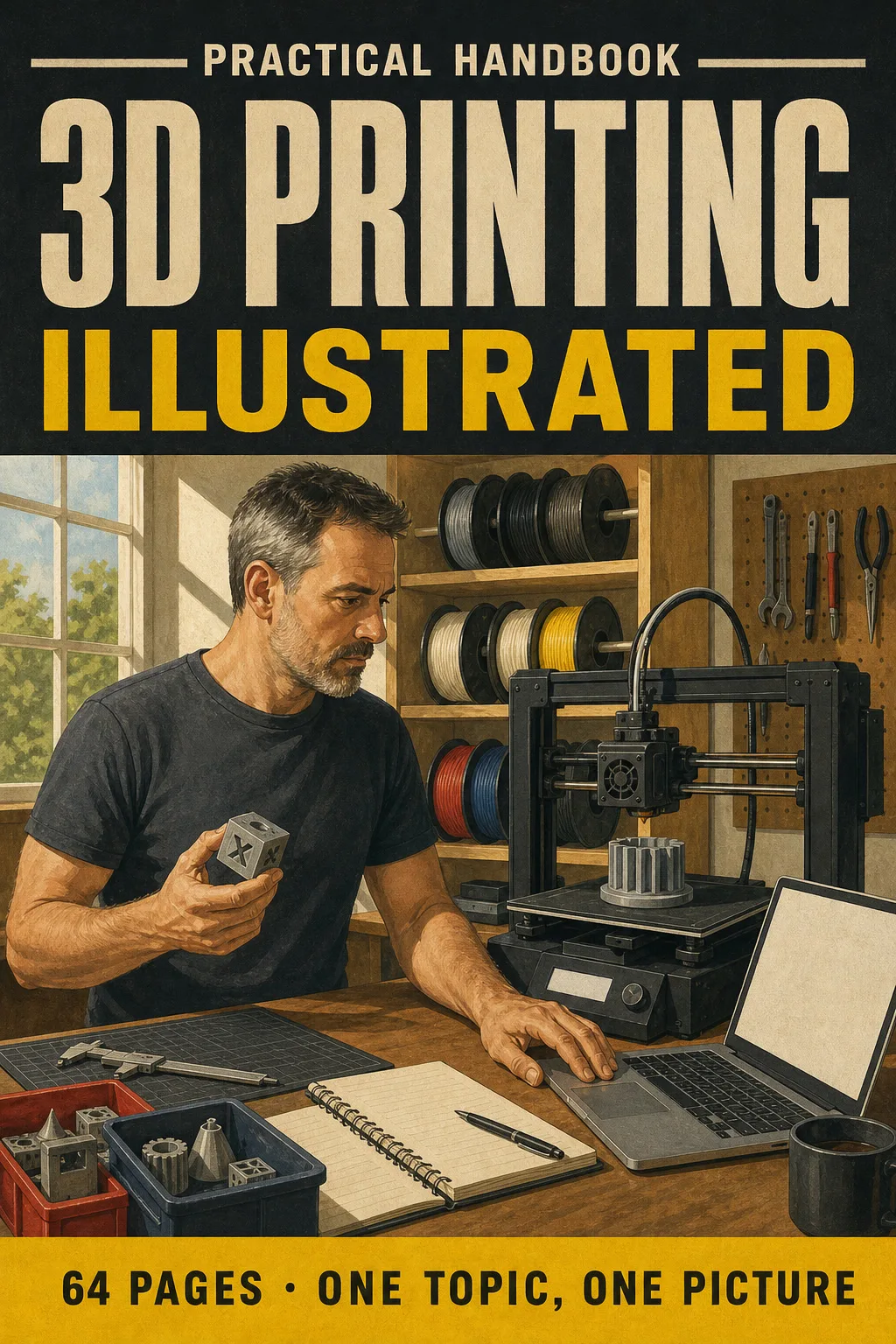
3D Printing Illustrated

Z offset, layer height, walls, infill, retraction, cooling, supports, PLA and PETG, and 25 print failures. Every topic gets its own page: the drawing first, then what you need to remember.

  • 64 illustrated pages
  • English
  • 30-day guarantee
US$ 27US$ 63
Get the book · US$ 27

Price shown for: United States. In other countries, the checkout shows the price that applies there.

About this book

What it is

Z offset, layer height, walls, infill, retraction, cooling, supports, PLA and PETG, and 25 print failures. Every topic gets its own page: the drawing first, then what you need to remember.

Who This Book Is For
  • You just got your first printer
  • You've been printing for a few months
  • You print parts to sell
What it covers
  1. How Your Printer Works
  2. First Layer and Bed Adhesion
  3. Shape Settings: Layers, Walls and Infill
  4. Temperature, Speed, Cooling and Retraction
  5. Orientation, Overhangs and Supports
  6. Materials
  7. 25 Common Print Failures
  8. Before You Hit Start
Language
English (United States)
Pages
64
Format
Digital book in PDF · read it on your phone or print it
Price
US$ 27 (United States)
Delivery
This is a digital PDF book sent to your email: nothing is printed or shipped.
30-Day Guarantee
30-day guarantee: if a file doesn't open, if the content isn't what the product page describes, if you were charged twice or the email never arrived, write to us and we'll refund you in full.

Look Inside the Book

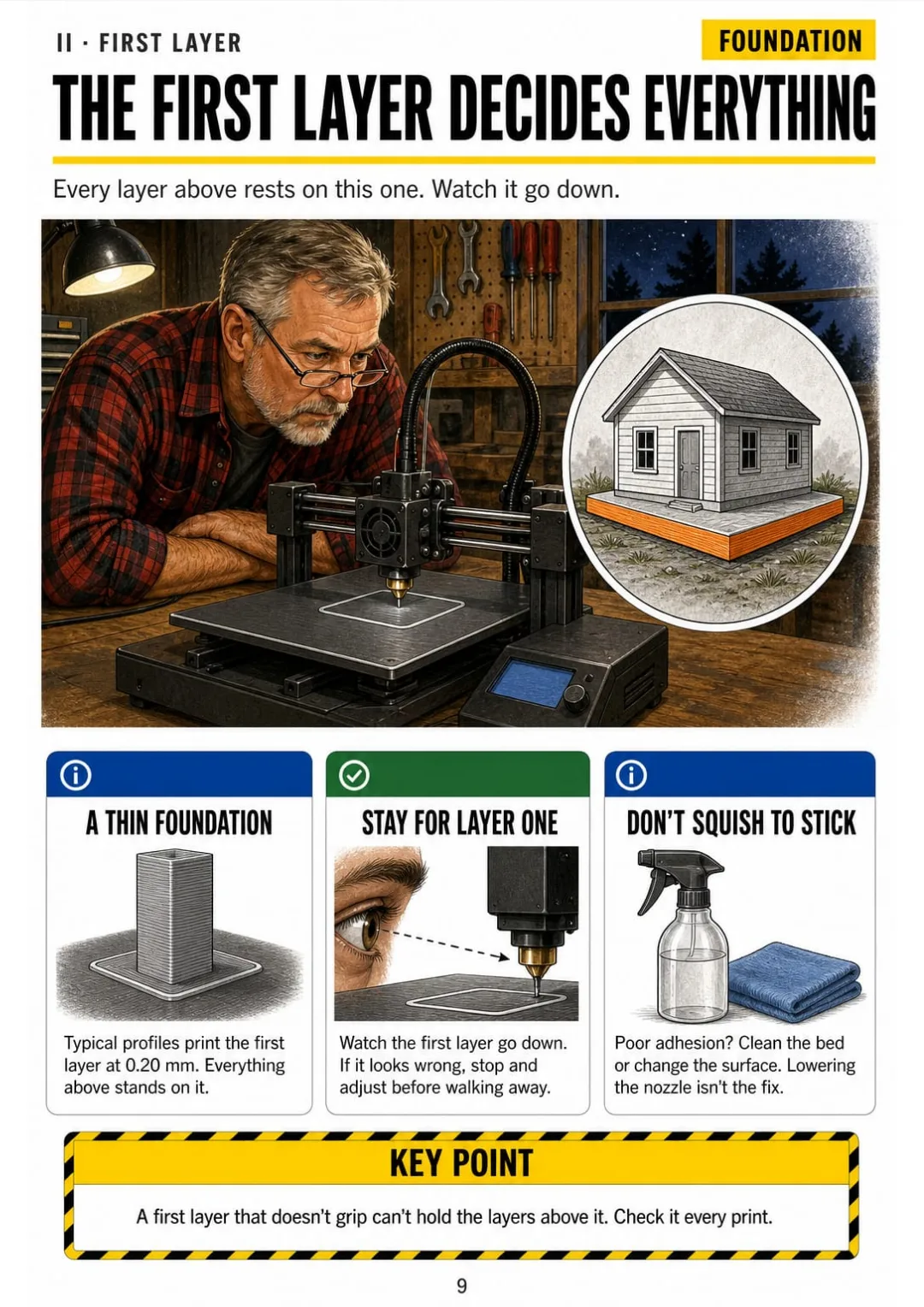
First layer at 0.20 mm: the foundation every other layer stands on
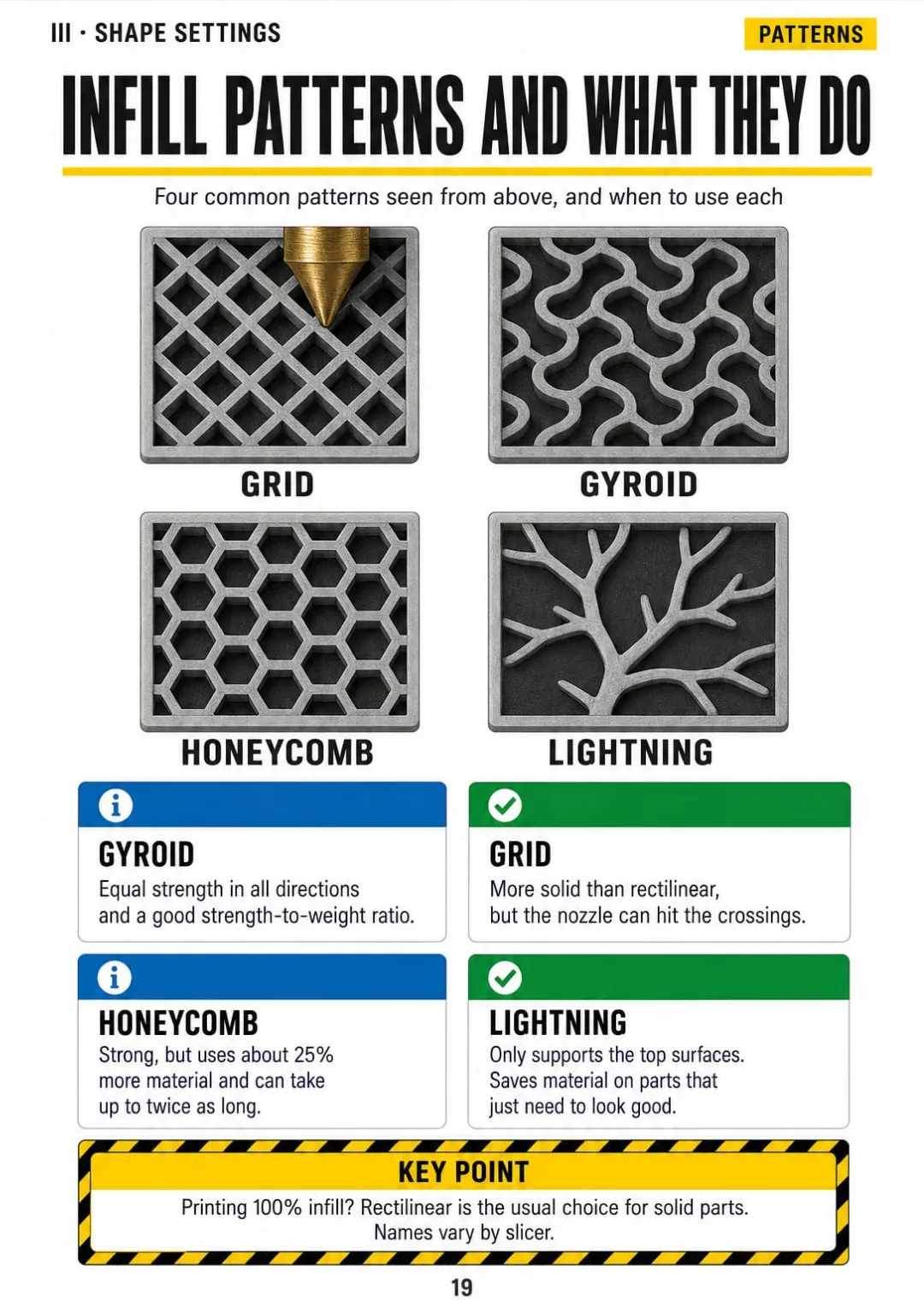
Gyroid: strong in every direction. Honeycomb: about 25% more material, up to twice the time.
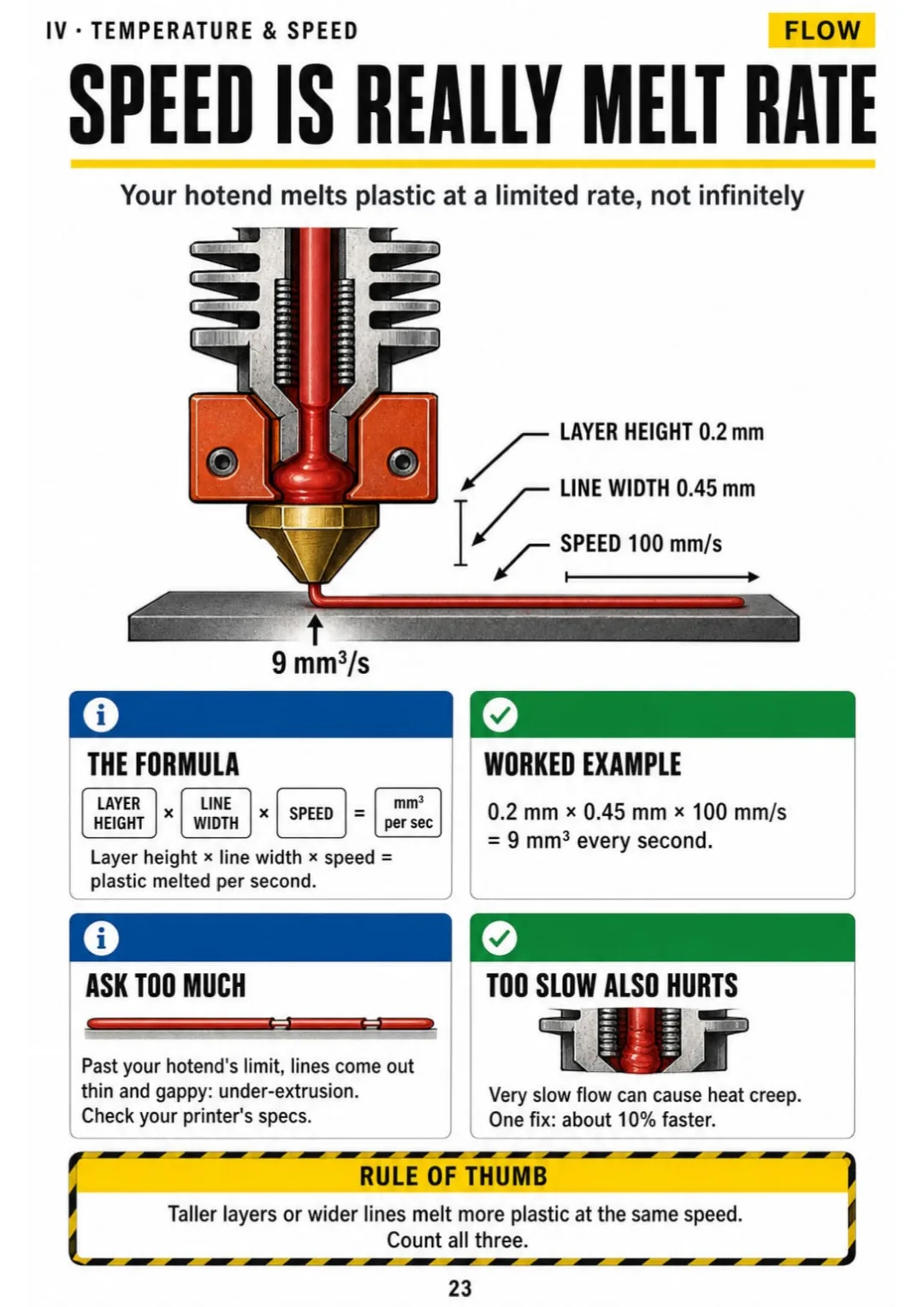
0.2 × 0.45 × 100 mm/s = 9 mm³/s of plastic your hotend must melt.
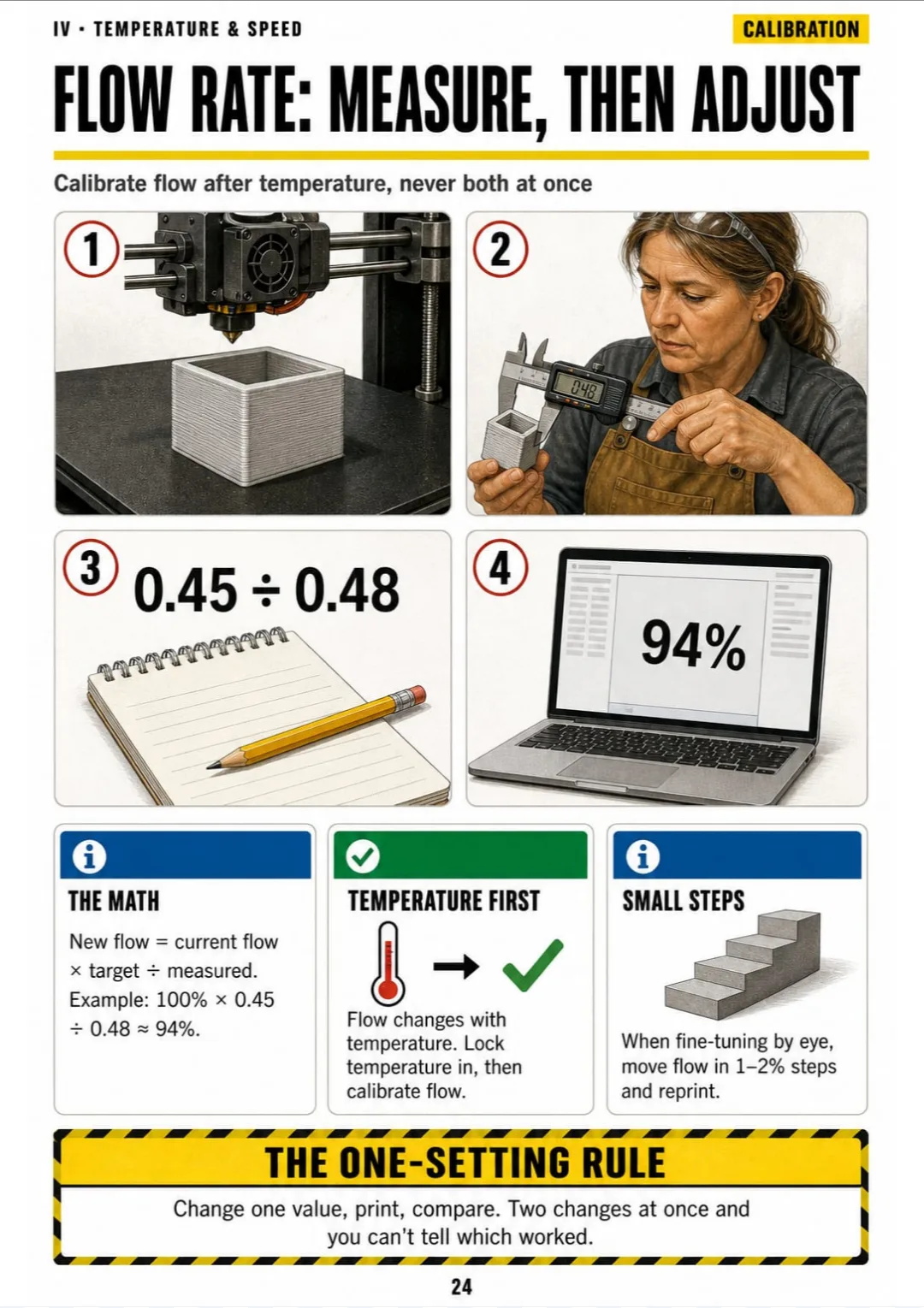
Wall measures 0.48 mm, should be 0.45: flow 100% → about 94%.
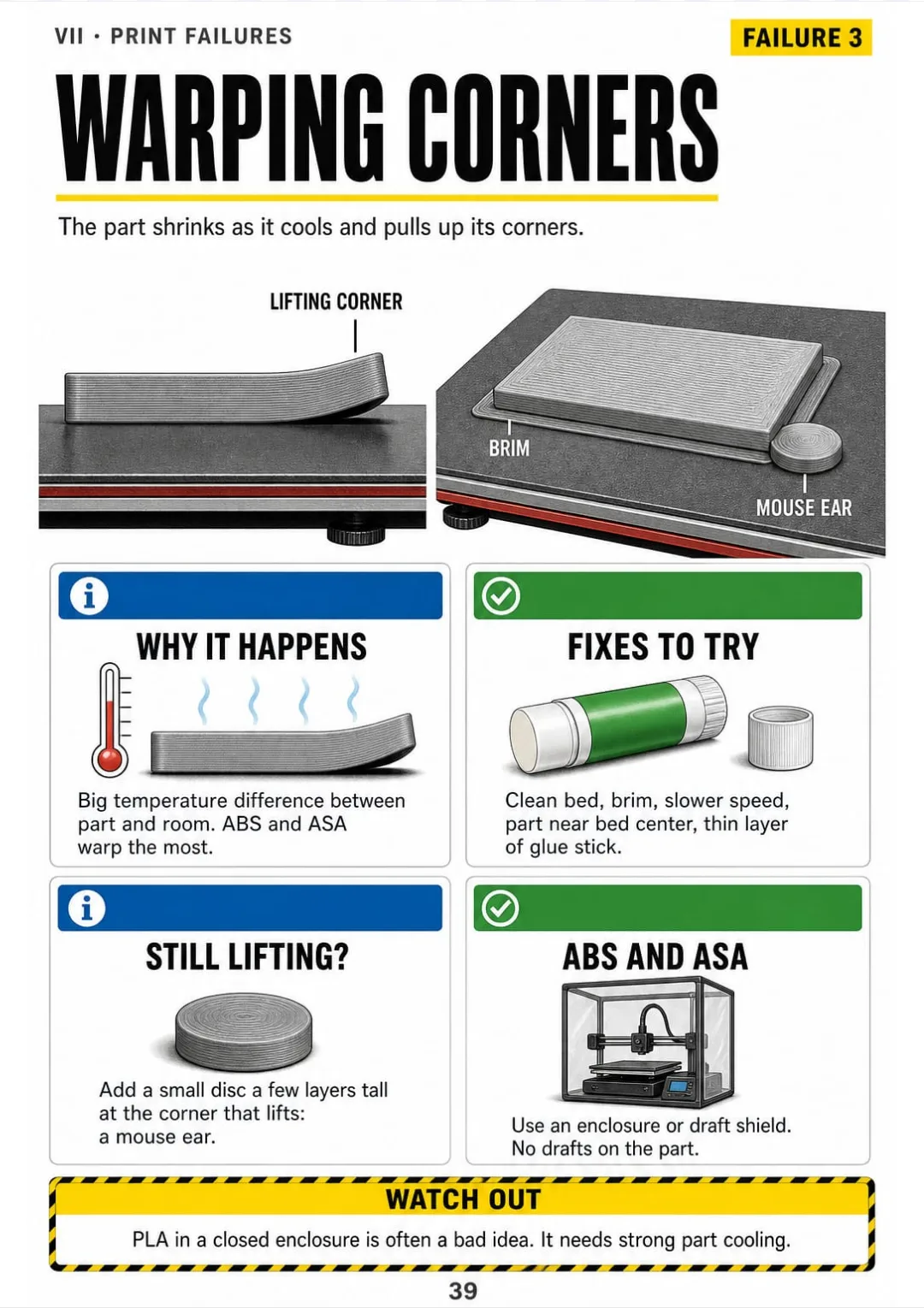
Warping: brim, mouse ears and a clean bed. Enclosures are for ABS and ASA, not PLA.
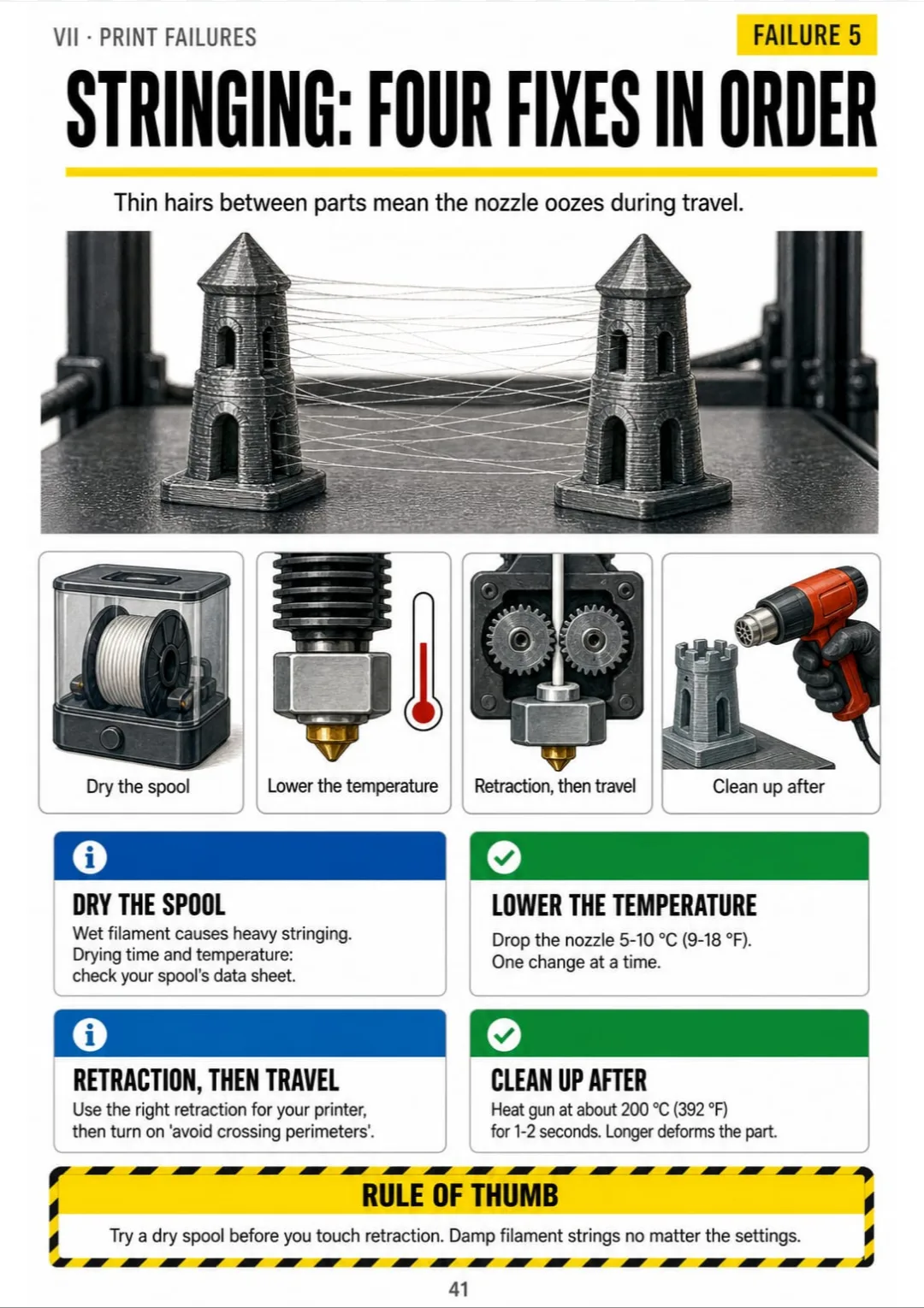
Stringing: dry the spool, drop 5-10 °C, then tune retraction.
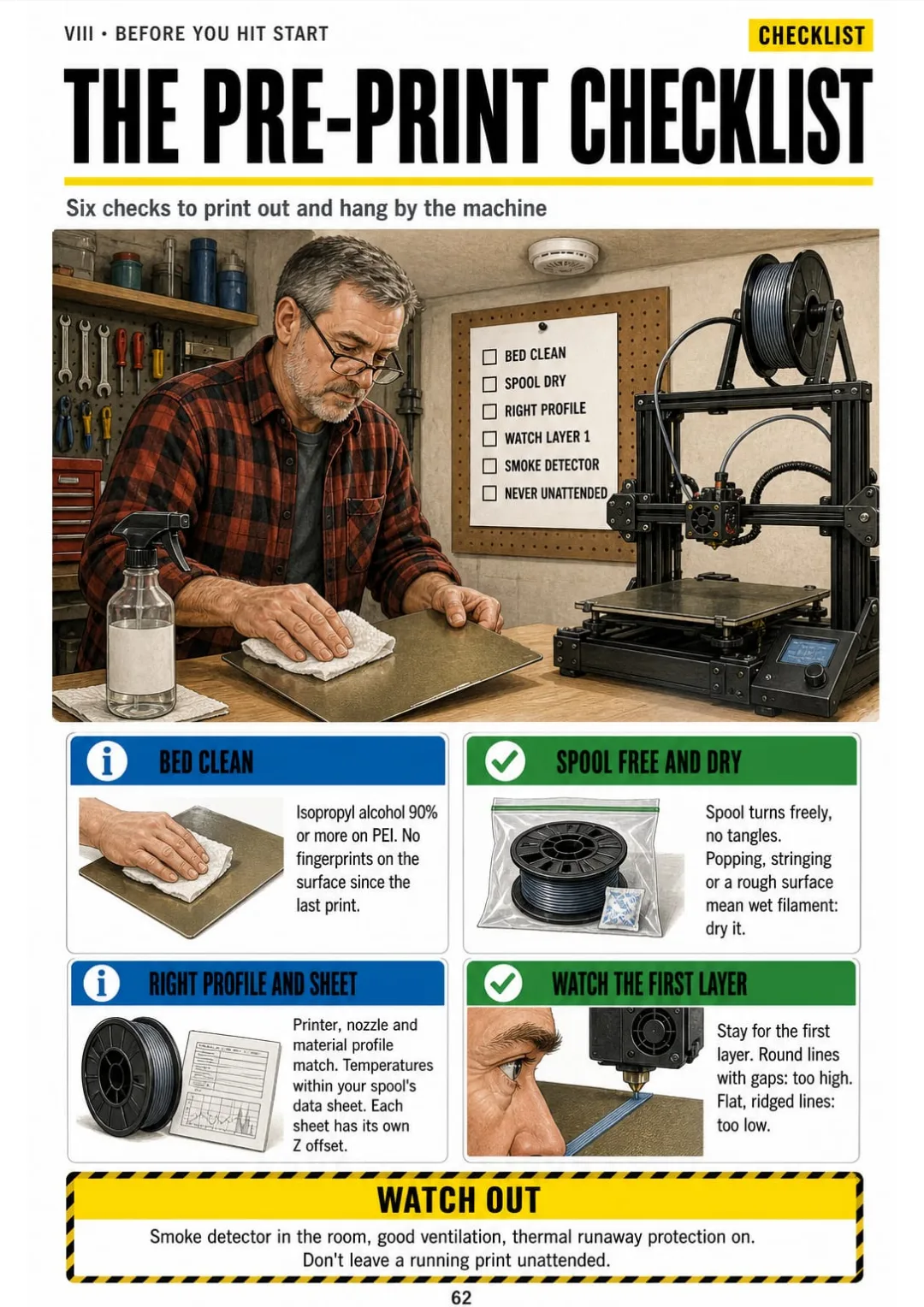
Bed cleaned with 90%+ IPA, dry spool, right profile, first layer watched, smoke detector on.
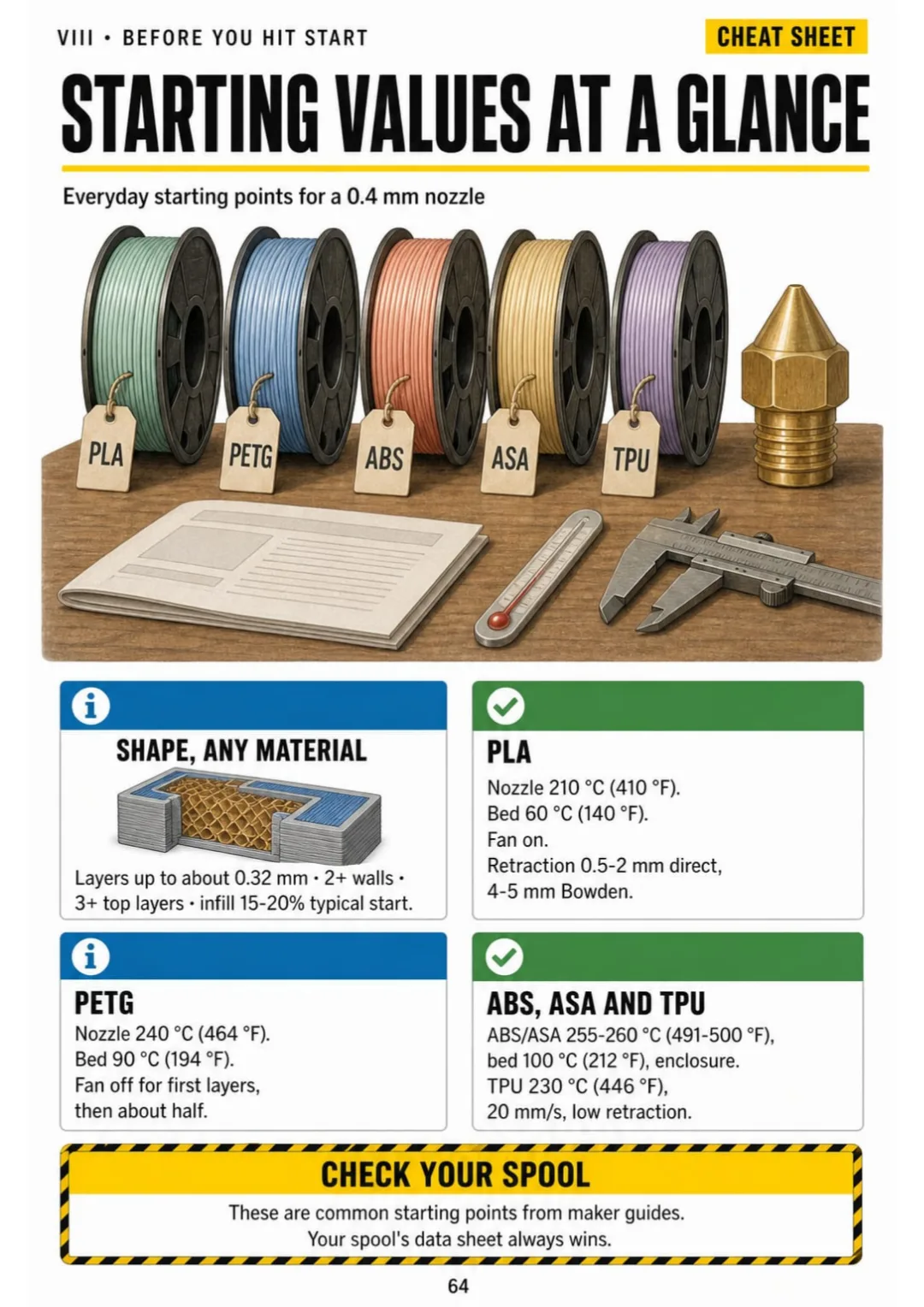
PLA 210 °C (410 °F) / 60 °C (140 °F) bed, PETG 240 °C (464 °F) / 90 °C (194 °F), all checked against your data sheet.

Take a Look at the 8 Parts and 60 Topics

How Your Printer Works

pp. 5-8
  1. The Parts of a Filament Printer
  2. From 3D Model to G-code
  3. Bowden vs. Direct Drive
  4. The Nozzle Sets Your Limits

First Layer and Bed Adhesion

pp. 9-14
  1. Why the First Layer Decides Everything
  2. Leveling vs. Z Offset
  3. Reading Your First Layer
  4. Bed Surfaces and What Sticks Where
  5. A Clean Bed Sticks Better
  6. First-Layer Settings

Shape Settings: Layers, Walls and Infill

pp. 15-20
  1. Layer Height: Quality vs. Time
  2. Walls Make the Strength
  3. Top and Bottom Layers
  4. Infill Density
  5. Infill Patterns
  6. Where the Seam Goes

Temperature, Speed, Cooling and Retraction

pp. 21-27
  1. Nozzle Temperature
  2. Bed Temperature
  3. Speed Is Really Melt Rate
  4. Flow Rate (Extrusion Multiplier)
  5. The Part Cooling Fan
  6. Retraction Distance and Speed
  7. Acceleration, Jerk and Travel

Orientation, Overhangs and Supports

pp. 28-31
  1. Orientation Decides Strength
  2. Overhangs, the 45° Rule and Bridges
  3. Supports That Come Off Clean
  4. Skirt, Brim or Raft

Materials

pp. 32-36
  1. PLA
  2. PETG
  3. ABS and ASA
  4. TPU and Flexible Filaments
  5. Wet Filament

25 Common Print Failures

pp. 37-61
  1. Spaghetti Nest
  2. First Layer Won't Stick
  3. Warping Corners
  4. Elephant's Foot
  5. Stringing
  6. Under-Extrusion
  7. Over-Extrusion
  8. Nothing Comes Out
  9. Layer Shift
  10. Layers Splitting Apart
  11. Pillowing on Top
  12. Ringing (Ghosting)
  13. Z-Banding
  14. Blobs and Zits
  15. A Visible Seam Line
  16. Gaps Between Walls and Infill
  17. Curling Overhangs
  18. Sagging Bridges
  19. Supports Welded to the Part
  20. Supports Falling Over
  21. Heat Creep
  22. Ground-Down Filament
  23. Cracks in Tall Prints
  24. Wrong Dimensions and Tight Holes
  25. Missing Layers

Before You Hit Start

pp. 62-64
  1. The Pre-Print Checklist
  2. The One-Setting Rule
  3. Starting Values at a Glance

Who This Book Is For

You just got your first printer

You learn what each slicer setting actually changes in the part, one drawn page at a time, before you start moving sliders at random.

You've been printing for a few months

When a failure keeps coming back, you find it drawn, put a name on it and change one setting in the right order.

You print parts to sell

You keep the same settings and the same checklist for every batch, so part ten comes out like part one.

Plus: 2 Free Books

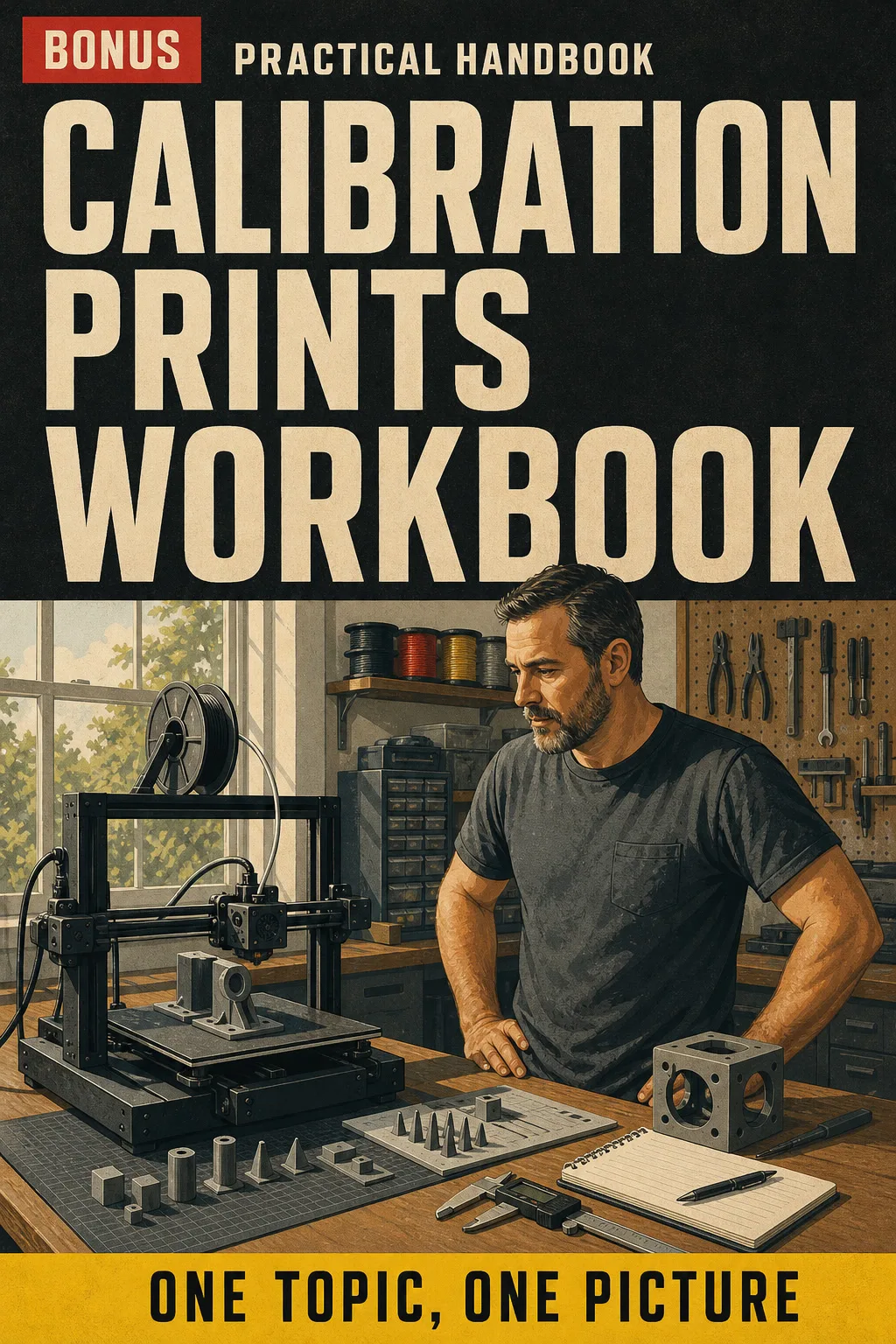
Calibration Prints Workbook
BONUS 1

Calibration Prints Workbook

Step-by-step calibration tests with blank log sheets, so you dial in a new printer or a new spool in the same order every time.
15 Common Mistakes Cards
BONUS 2

15 Common Mistakes Cards

The most frequent mistakes before and after a print, one card each, to check at a glance before you hit start.

30-Day Guarantee

30-day guarantee: if a file doesn't open, if the content isn't what the product page describes, if you were charged twice or the email never arrived, write to us and we'll refund you in full. You pay once. No subscriptions.

Frequently Asked Questions

Is it for me if I've only had my printer for a few weeks?

Yes. It starts with the parts of the printer and the first layer, and it also works if you've been printing for a while and keep running into the same failures. It covers any filament printer and any slicer, using the generic setting names; if your slicer calls a setting something slightly different, the drawing shows what it does so you can find it.

Where does the content come from?

Settings are explained by their generic names, the ones every slicer uses. Temperatures, bed and drying ranges are starting points you check against your filament maker's data sheet and your printer's user manual.

Is this official material?

No. It isn't published or endorsed by any printer, slicer or filament maker. It's an independent illustrated reference.

Isn't all this free on YouTube and the forums?

A lot of it is out there, scattered across videos that each tune a different machine and change three settings at once. Here every setting and every failure has one drawn page, in a fixed order, to keep next to your printer. Your printer's manual and safety instructions still come first.

Are the calibration tests the ones from my printer's maker?

No. The tests in the Calibration Prints Workbook are written for this book and work with any filament printer.

When and how do I get it?

The book and the 2 bonuses arrive as a PDF by email, at the address you enter at checkout.

Do I have to pay every month?

No. It's a one-time payment. No subscription.

Can I have it on paper?

Yes. The PDF prints well at home or at a print shop, so you can keep it next to your printer.

How does the refund work?

You have 30 days. We refund everything if the file won't open, if the book isn't what you see on this page, if you were charged twice or if the email doesn't arrive: just email us.

US$ 27US$ 63
Get the book · US$ 27

This is a digital PDF book sent to your email: nothing is printed or shipped.